

These days, most of our memories are captured in our phones. While this allows us to get many more pictures than other types of cameras in the past, it also restricts how easy it is to transfer those photos to physical media. Thankfully, photo printers are easy to use and relatively inexpensive, especially when you weight the cost of getting your photos printed out at a photo lab. The best photo printers in Canada allow you to print out treasured memories and build photo albums for your family members.
What We Looked For
We wanted to choose photo printers that were as accessible as possible. The options here are popular printers from well-known brands that work well with most devices, and can be used without much hassle. Whether you are printing from your smartphone or computer, we wanted to make sure that we provided a lot of options for different photo printer capabilities, features, and quality so you could choose the one that works best for you. On our list of the best photo printers in Canada, we highlighted options that make it effortless to print your memories and store them physically.
Best Photo Printers in Canada: Our Best Gift Picks
1. Canon Ivy 2 Mini Photo Printer
2. Kodak Mini 2 Retro
3. Canon SELPHY Compact Photo Printer
4. HP Sprocket Photo Printer
5. Kodak Step Wireless Mobile Photo Printer
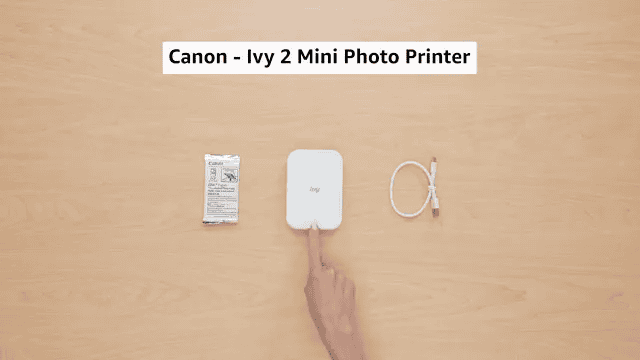
Best overall photo printer in Canada: Canon Ivy 2 Mini Photo Printer
Pros:
- Extremely mobile friendly
- 20 printers per charge on the battery
- Printer sticky-backed photos that make it easy to display them anywhere
Cons:
- Small print size may not be suitable for photo albums or scrapbooking
The Details:
- Connectivity: Bluetooth 5.0
- Max Print Speed: 1 ppm
- Weight: 145 grams
- Resolution: 313 x 512 dpi
- Power Source: Battery
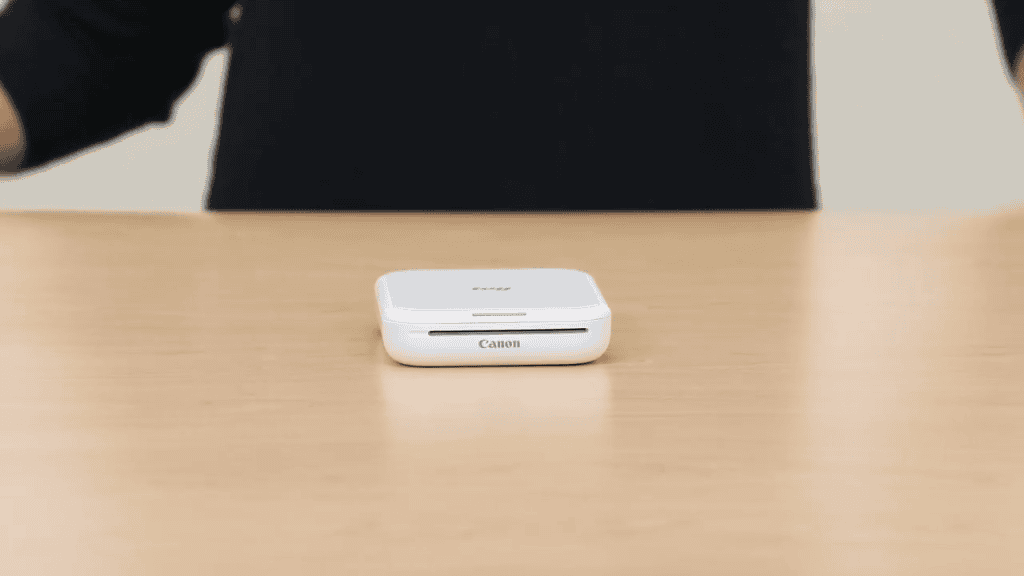
The Canon Ivy 2 Mini Photo Printer is a compact, pocket-sized powerhouse for on-to-go printing. Made for sentimental types who want to print stickable versions of their favourite selfies, you can take this printer with you just about anywhere. The battery lasts for about 20 prints on a single charge, but it recharges quickly between uses.
One of the most unique parts of this photo printer is the fact that it doesn’t use ink. The colour crystals used to bring your images to life are embedded in the paper. This technology, known as ZINK, means that you use ‘zero ink’ while printing. This means you don’t have to replace cartridges or buy new ink as long as you use the compatible ZINK paper.
Printing is quick and simple. Using Bluetooth 5.0, this photo printer easily connects to your smartphone without endless troubleshooting. With the Canon Mini Print app, you can also decorate your photos before you send them to the printer.
The 2″ x 3″ photos have peel-and-stick backing. Those who like to stick photos in their planners or scrapbook will love this feature, as you don’t have to worry about any additional adhesives. While the images that print with this technology (and at this size) won’t give you a professional-quality photo print, it’s a great portable option for those who want a fun way to print their snaps.
Our Expert Opinion: “This mini printer is great for fun and creative printing. The light, portable design makes it easy to take anywhere you need to. The sticker paper it prints on makes wonderful keepsakes, too.”
Customers Are Saying: “After running through a few different photo printers, this is easily the best one I’ve tried. It connects effortlessly and you can get printing right from your phone in minutes. It doesn’t get easier than this, and the prints are great.”
Who is the Canon Ivy 2 Mini Photo Printer for?
- Scrapbookers and planners. The sticky paper that this printer uses for your photos is extremely easy to work with and sticks well to paper, especially in planners.
- Those who want social-media-style snapshots. If you want to print and stick selfies and images worthy of social media, this is the best option for you.
- Canadians who want low-maintenance printing. This photo printer connects effortlessly and doesn’t use ink, so there isn’t much to maintain.
Who should avoid the Canon Ivy 2 Mini Photo Printer?
- Those who want sharper photos. The photos that this mini photo printer produces may be blurry and lack sharpness because of the technologies used.
Instead, choose… the Canon SELPHY Compact Photo Printer.
The Canon SELPHY Compact Photo Printer is a compact photo printer, but it has a lot more capabilities than the Canon Ivy 2. This printer creates beautifully sharp photos using dye sublimation, and can create prints up to 4″ x 6″ instead of the smaller prints created by the Ivy 2.
Features Breakdown
- Connectivity: Bluetooth
- Max Print Speed: 1 ppm
- Weight: 145 grams
- Resolution: 313 x 512 dpi
- Power Source: Battery
- Special Features: Portability, Small Photos
- Max Media Size: 3″ x 4″
- Dimensions: 119 x 20 x 84 mm
Best compact photo printer in Canada: Kodak Mini 2 Retro
Pros:
- Uses 4PASS dye-sublimation for laminated prints
- Pocket-sized design
- Orders both borderless and bordered print options
Cons:
- Prints slightly slower than other models
The Details:
- Connectivity: Bluetooth
- Max Print Speed: 1 ppm
- Weight: 200 grams
- Resolution: 300 dpi
- Power Source: Battery
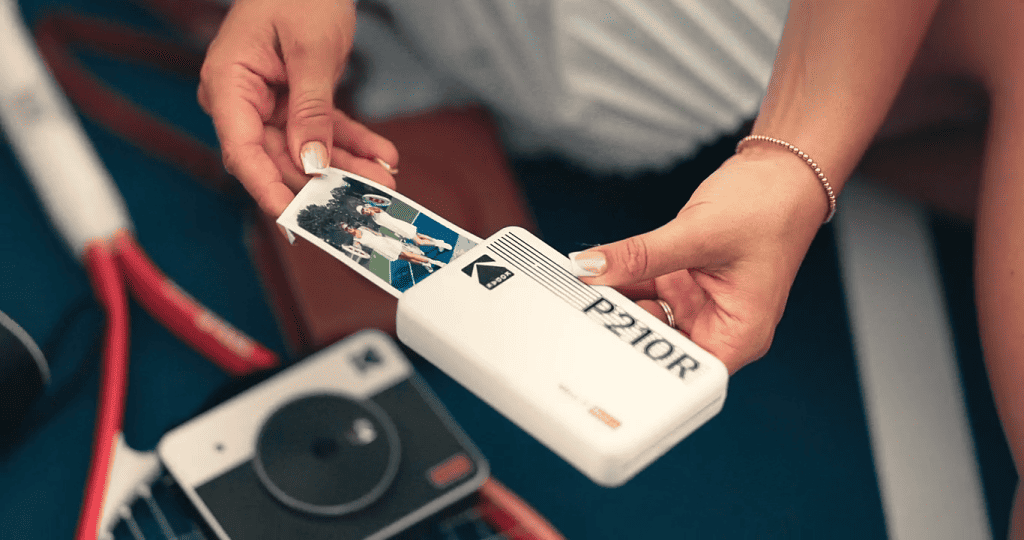
The Kodak MIni 2 Retro delivers high-quality, long-lasting photos thanks to the way it prints them. The 4PASS dye-sublimination process allows for a protective laminate layer that is resistant to fingerprints and water. It’s extremely portable and easily slips right into your bag without taking up too much space or weighing you down.
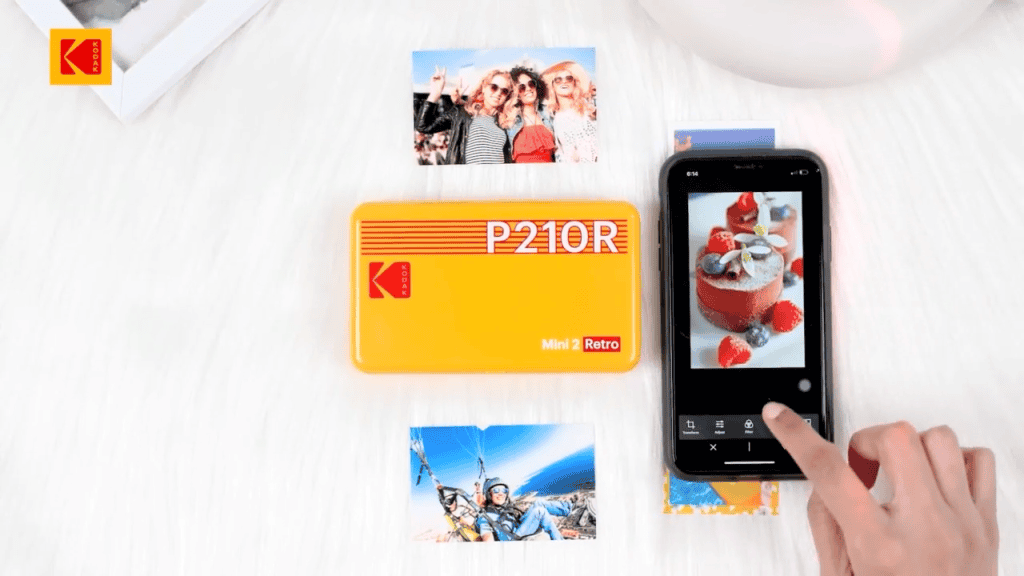
The Bluetooth connection works instantly, allowing you to send photos to the printer right from your phone. You can choose to print your photos borderless or add a frame, which gives you more creative control for your scrapbooking or planners. The lamination and printing technology makes these prints a lot more durable than the ZINK prints that some other printers use, but the drawback is that you need to use cartridges to produce photos.
This can become costly over time and takes more time for each print. Still, these photos are glossy and beautiful, perfect for printing photos that you intend to display or look at often. The durability of these prints is rarer to find in these small portable printers, so it’s worth checking it out if you want your photos to last.
Besides being extremely compact and easy to move from one location to the next, it’s also extremely lightweight. It weighs just 200 grams. The 4PASS sublimation printing process it uses prints each photo four times, creating layers of colour that allow you to get extremely fine details out of your favourite memories.
Our Expert Opinion: “The Kodak MIni 2 Retro stands out because it offers more durable, long-term photos. It uses higher-quality photos with prints that are laminated and feel more like a lab photo. Plus, you can use borders before printing for a little more decoration.”
Customers Are Saying: “I love how small and portable this printer is. The carry case allows you to print while the printer is in the case, which is a feature that I appreciated.”
Who is the Kodak Mini 2 Retro for?
- Those who want durable photos. Better paper and ink make these prints and photos extremely durable, especially when compared to some of the other options on our list.
- Travelers who need to print on the move. Those who need to create pocket-sized prints on the go will love this photo printer.
- Canadians who want to display their prints long-term. The glossy style of these photos makes for great display-quality photos, which is unique to this mini printer.
Who should avoid the Kodak Mini 2 Retro?
- Those who want larger prints. The small size of this mini printer may not be sufficient for those who want larger photo prints.
Instead, choose… the Canon Ivy 2 Mini Photo Printer.
The Canon Ivy 2 Mini Photo Printer uses “zero ink”, or ZINK, technology. This means that this printer won’t need any additional ink cartridges or refills. It prints at the same size and resolution, so it might be a better option for those who want a low-maintenance photo printer.
Features Breakdown
- Connectivity: Bluetooth
- Max Print Speed: 1 ppm
- Weight: 200 grams
- Resolution: 300 dpi
- Power Source: Battery
- Special Features: Glossy photo prints, extremely compact
- Max Media Size: 2.1″ x 3.4″
- Dimensions: 7.6 x 12.7 x 2.5 cm
Best standard-sized photo printer in Canada: Canon SELPHY Compact Photo Printer
Pros:
- Prints up to 4″ x 6″ prints, which are perfect for photo albums
- Multiple connectivity options, including memory card
- Long-lasting, fade-resistant prints
Cons:
- Uses dedicated cartridges
The Details:
- Connectivity: USB, Wi-Fi
- Max Print Speed: 1 ppm
- Weight: 1.58 kg
- Resolution: 300 dpi
- Power Source: USB, Battery
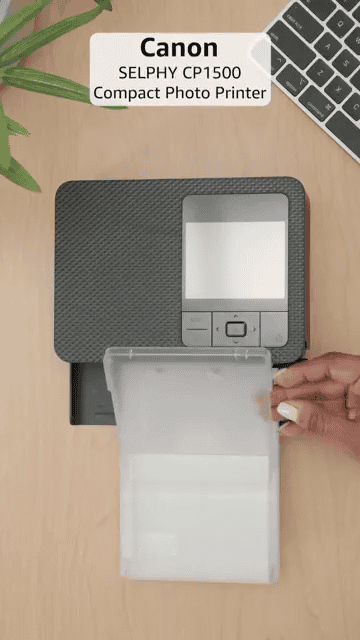
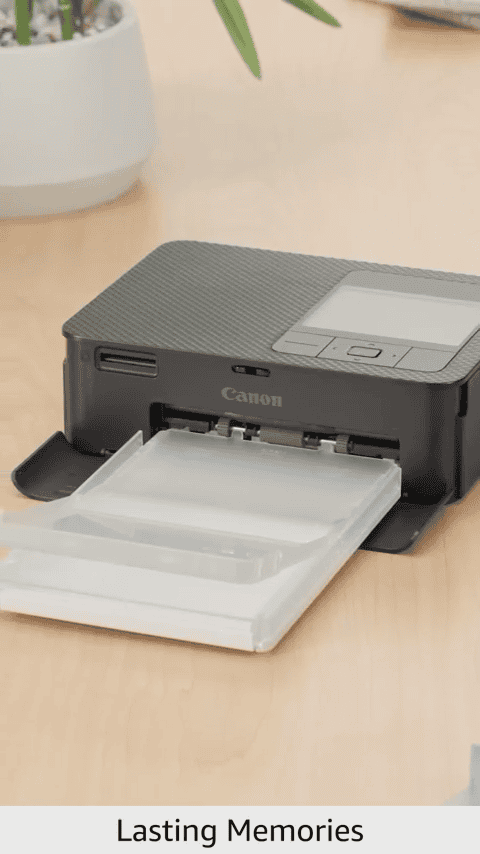
The Canon SELPHY Compact Photo Printer is a more serious compact photo printer that brings you lab-quality photos. They use dye-sublimation prints that use cartridges of paper and ink to create your photos. This is an ongoing cost, but it can be worth it for the higher-quality photos it produces.
It has support for a lot of different connectivity options. You can connect it to your home Wi-Fi, connect your computer or phone via USB, use a memory card, or connect wirelessly with AirPrint. It’s so flexible that you can print directly from your devices, no matter which devices you are working with. The 3.5″ LCD screen is a major plus. You can preview your images, apply effects or layouts, and make sure everything looks okay before you go ahead with the print.
You can print up to 4″ x 6″, which is standard photo album size. You can also print squires and mini stickers, so it’s versatile for whatever type of print that you need. Greeting cards and keepsakes are just as easy to make as standard photo album prints. The dye-sublimination printing process makes durable prints that will last decades when stored properly.
This is the only option on our list that isn’t a portable printer. It’s meant to be used at home, and doesn’t print as fast as other options. However, the result is a better photo print overall, so you can preserve your memories with no issues whatsoever.
Our Expert Opinion: “The Canon SELPHY Compact Photo Printer is perfect for high-quality, durable printers that you can display or use in photo albums. It created prints in multiple sizes, and each print feels like it comes straight from a photo lab.”
Customers Are Saying: “This is a great photo printer, but it can be a little expensive. I love the app, as you can choose all different types of prints for photo albums and scrapbooking. None of my photos have come out bad, so I think it’s well worth the investment.”
Who is the Canon SELPHY Compact Photo Printer for?
- Home users wanting higher-quality photo prints. While most of the other options here are mini printers, the Canon SELPHY produces for high-quality, photo-album ready prints.
- Canadians who want to build stunning photo albums. This photo printer produces photos in various sizes, including the largest (4″ x 6″), which can be used in most standard photo albums.
- Users who want long-lasting prints. The durability of these photos is unmatched, so they are perfect for displaying for years to come.
Who should avoid the Canon SELPHY Compact Photo Printer?
- Those who don’t want ongoing costs. This photo printer uses cartridges with ink and paper for your photos, which can create an ongoing cost that you may not want to take on.
Instead, choose… the Kodak Step Wireless Mobile Photo Printer.
The Kodak Step Wireless Mobile Photo Printer uses ZINK technology. While this sometimes means that you don’t get the same quality or durability, it can reduce ongoing costs because it doesn’t use ink. Instead, the paper itself has everything needed to create the photo.
Features Breakdown
- Connectivity: USB, Wi-Fi
- Max Print Speed: 1 ppm
- Weight: 1.58 kg
- Resolution: 300 dpi
- Power Source: USB, Battery
- Special Features: Optional battery pack, instant dry and water resistance, memory card connections
- Max Media Size: 4″ x 6″
- Dimensions: 25.1 x 20.6 x 18.3 cm
Best social media photo printer in Canada: HP Sprocket Photo Printer
Pros:
- No ink cartridges needed thanks to ZINK technology
- Prints 2″ x 3″ sticky-backed photos
- Rechargeable battery prints 35 prints per charge
Cons:
- Prints aren’t as high-quality as dye-sublimation printers
The Details:
- Connectivity: Bluetooth
- Max Print Speed: 1 ppm
- Weight: 6.1 ounces
- Resolution: 400 dpi
- Power Source: Battery
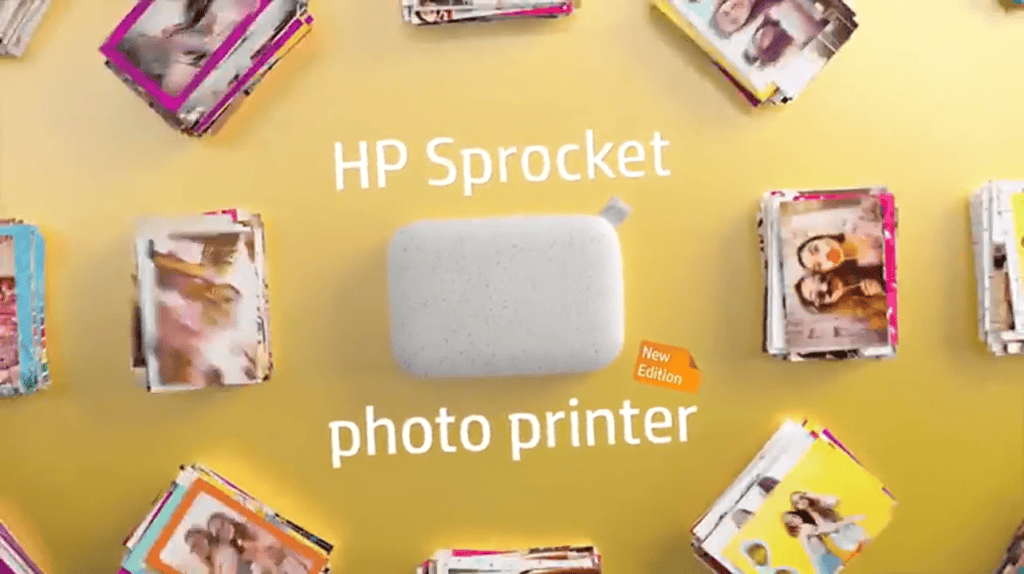
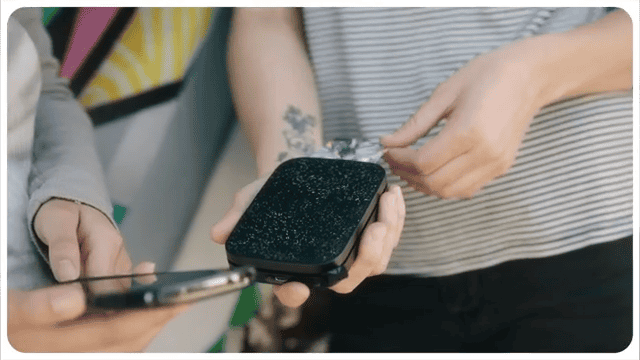
The HP Sprocket and user-friendly mini printer that helps you create social memories. Pair your phone via the Sprocket app, then choose filters, stickers, and other flares before printing your photos. The 2″ x 3″ ZINK photos stick almost anywhere, so you can decorate your journals, laptops, and scrapbooks with them.
This photo printer uses a rechargeable battery, and each battery charge prints 35 times before it needs to be recharged. It’s perfect for casual use at gatherings, and the battery charges quickly so you can continue printing before too long. The ZINK or ‘zero-ink’ paper avoids mess because it doesn’t use cartridges. You’ll still have to buy the special ZINK paper, though.
The print quality is decent for a printer that uses this technology, as they are prone to coming out blurry (and not as high-quality as dye-sublimination printers). Still, there are far worse ZINK printers on the Canadian market. It’s a great option for those who want to share quick memories, especially since you can edit the photos before printing them.
Our Expert Opinion: “If you need a lighthearted photo printer that creates fun photos you can share with your friends, this is the printer for you. It’s a sticker-style printer that doesn’t need cartridges to work, so it’s ideal for those who want maximum convenience.”
Customers Are Saying: “There’s a learning curve to editing photos on the app, but I love being able to instantly see photos on my phone. The peel-and-stick backing is a great touch too, because I love being able to stick my photos everywhere.”
Who is the HP Sprocket Photo Printer for?
- Teens, creatives, and social-media users. Those who want prints that you can quickly share with your friends, this photo printer has you covered.
- Canadians who want portability and convenience. If you want a portable printer that doesn’t need a lot of wires to work correctly, this is perfect for you.
- People who want sharable prints with filters. This printer offers full creative control over the prints that you create.
Who should avoid the HP Sprocket Photo Printer?
- Users who want professional-grade photos. Because of the size and the way these photos are printed, they aren’t very high-quality.
Instead, choose… the Kodak Mini 2 Retro.
While the Kodak Mini 2 Retro photo printer is another mini printer, it prints much higher quality prints. Instead of using ZINK technology (which is useful and convenient), it uses cartridges with paper and ink. This means the prints are much better and more durable, but the costs can add up quickly.
Features Breakdown
- Connectivity: Bluetooth
- Max Print Speed: 1 ppm
- Weight: 6.1 ounces
- Resolution: 400 dpi
- Power Source: Battery
- Special Features: ZINK technology, custom filters, portable design
- Max Media Size: 2″ x 3″
- Dimensions: 32 x 46 x 10 mm
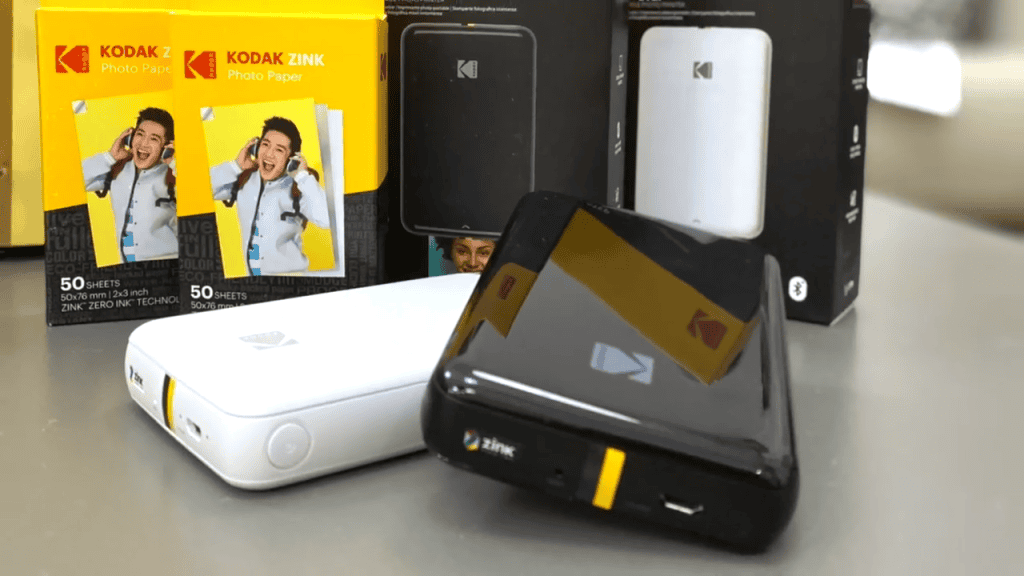
Best mobile photo printer in Canada: Kodak Step Wireless Mobile Photo Printer
Pros:
- Supports both Bluetooth and NFC connectivity
- ZINK technology, so no cartridges
- Free editing software allows you to create fun prints
Cons:
- ZINK paper is an ongoing cost
The Details:
- Connectivity: Bluetooth and NFC
- Max Print Speed: 1 ppm
- Weight: 0.07 kg
- Resolution: 400 dpi
- Power Source: Battery
The Kodak Step Wireless Mobile Photo Printer is a dependable printer that can fit right into your wallet. You can connect instantly, turning your smartphone images into physical keepsakes in just a couple of minutes. Connection methods include Bluetooth and NFC, so you don’t have to juggle cables or rely solely on Bluetooth.
The ZINK technology means you don’t have to use cartridges, ribbons, or other ink forms. As long as you use ZINK paper, everything that you need is within the sheet itself. Those these sheets can get costly, it’s less messy and a little more affordable than dye-sub printers and their cartridges.
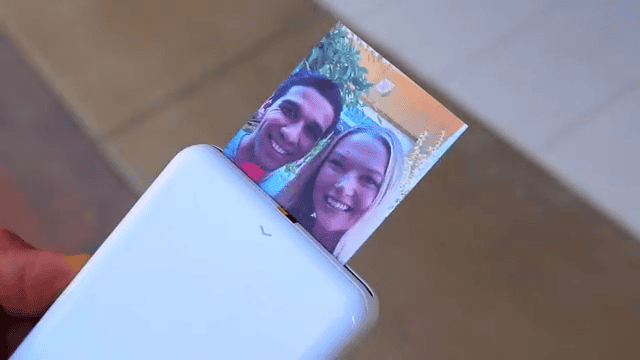
The printing speed is modest, but it still works faster than a more traditional printer. The ZINK photos come out with vibrant colours and a durable, sticky backing so you can share and catalogue your pinters. The free Kodak app allows you to edit your photos, adding filters, borders, and stickers to your photos before printing.
Overall, the Kodak Step Wireless Mobile Photo Printer is a simple, affordable photo printers that allow you to get beautiful prints from the photos on your phone or other devices. It’s easy to use and the ZINK paper isn’t too expensive when compared to other types of photo printer cartridges.
Our Expert Opinion: “The Kodak Step Wireless Mobile Photo Printer is extremely portable and convenient. It comes in a few different colours and creates beautiful, high-quality prints that don’t use any messy ink cartridges. Plus, the sticky backing is a huge benefit.”
Customers Are Saying: “These small print were great for specific scrapbooks and greeting cards I like making. I use it a lot and it’s still going. It’s very beneficial and works well with my social media accounts, which can be connected on the app.”
Who is the Kodak Step Wireless Mobile Photo Printer for?
- Casual photographers who want keepsakes. The instant keepsakes you can create with this photo printer are priceless for some.
- Students, teens, and social media users. You can connect your social media accounts to the app to get prints directly from your accounts, so those who want to share posts physically can do so.
- Those who want creative photo stickers. The sticky-backed prints work great for scrapbooking and other types of creative projects.
Who should avoid the Kodak Step Wireless Mobile Photo Printer?
- Those who want long-lasting prints. Though these prints are durable, they aren’t as durable as some of the glossier prints created by other printers.
Instead, choose… the Canon SELPHY Compact Photo Printer.
The prints created with the Canon SELPHY Compact Photo Printer are said to last 100 years (by Canon). These durable photos can be printed in a variety of sizes, but it must be used at home. This printer also uses cartridges, but the photo quality is greatly improved as a result.
Features Breakdown
- Connectivity: Bluetooth and NFC
- Max Print Speed: 1 ppm
- Weight: 0.07 kg
- Resolution: 400 dpi
- Power Source: Battery
- Special Features: NFC connectivity, free editing app
- Max Media Size: 2″ x 3″
- Dimensions: 3 x 5 x 1 cm
Frequently Asked Questions
Most photo printers can only print sizes up to 4 x 6″. If you need larger photos, you should look into other types of printers, such as standard computer printers that have photo printer capabilities if you use the right type of paper.
The biggest factor for printing high-quality photos is using a high-resolution image. If you use the best camera that you have to take the photo, it will come out better on the photo printer. The larger resolution allows the photo printer to capture more details accurately and avoid blurriness.
Yes! There are some photo printers that can be used right from your smartphone, which is especially useful if you want to print off photos from your phone without uploading them to your computer first. If this is a feature that interests you, make sure to look for photo printers with wireless capabilities.

This Post Has 4 Comments
Is the photo quality worse with Zink printers? Is it worth it to get one that uses cartridges just for the better quality?
Photo quality can suffer a bit with Zink. If quality is your biggest factor, I’d consider a cartridge photo printer.
I love that some of these use sticky backing, it helps so much with scrapbooking.
Love that you included full-sized photo printers too. I love the pocket ones, but sometimes I need a larger size for my photo album.