

A smart thermostat can be a great way to save money, particularly if you want to automate temperature changes for the best use of your power. The best smart thermostats in Canada include a wealth of programmable features, including scheduling and auto-adjustments that can change the temperature when you aren’t home. This saves you from your HVAC system running constantly when you aren’t home. These smart thermostats have a host of other features that you can use to your advantage, too.
What We Looked For
There are a lot of smart thermostats on the market, but many of them lack the depth of features that many Canadians need. When choosing smart thermostats for our list, it was important to focus on a range of features. Some of the thermostats here are relatively simple (even if they still have smart capabilities), while others are full of features that support near-complete automation. When you’re ready, the best smart thermostats in Canada will have an option for you.
Best Smart Thermostats in Canada: Our Best Gift Picks
1. Google Nest Thermostat
2. Emerson Sensi Lite Smart Thermostat
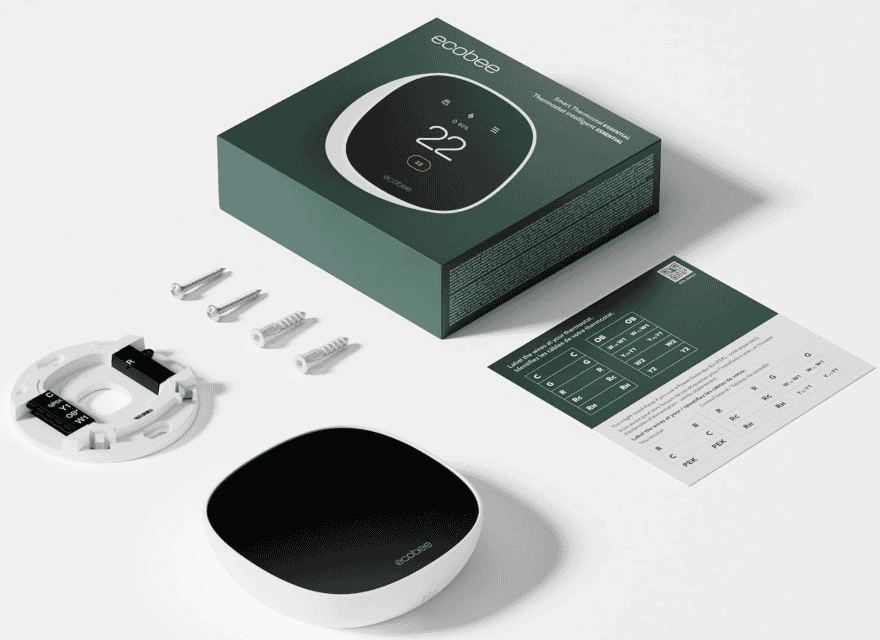
3. Ecobee Smart Thermostat
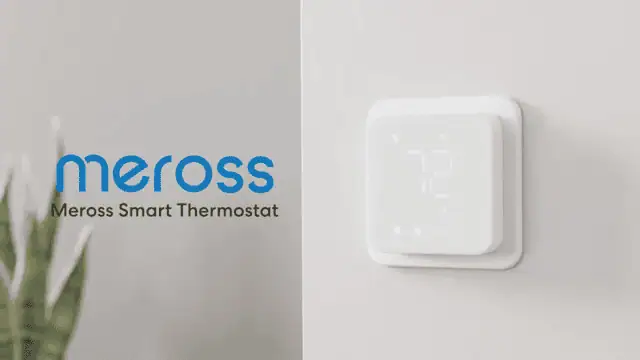
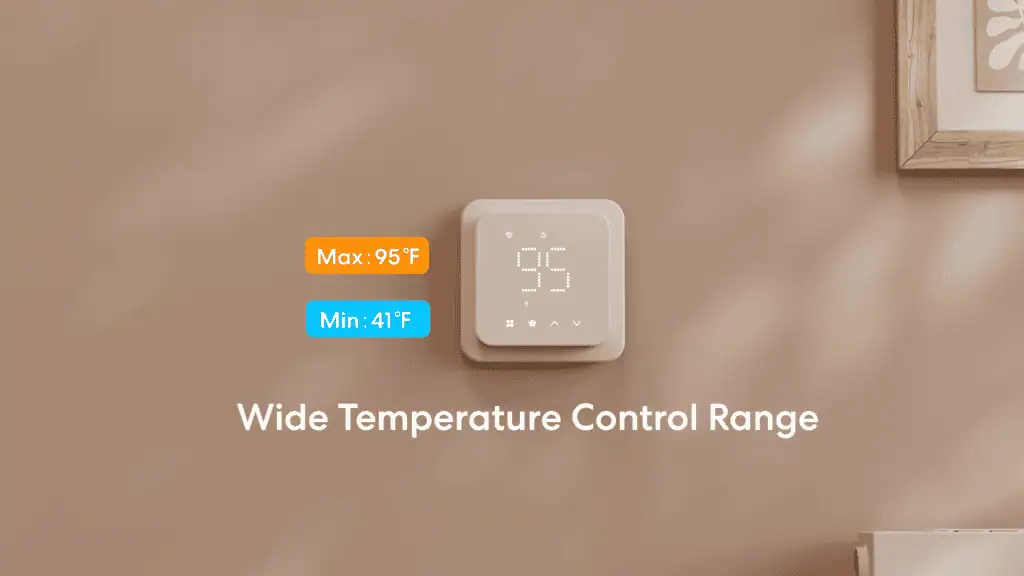
4. Meross Smart Thermostat
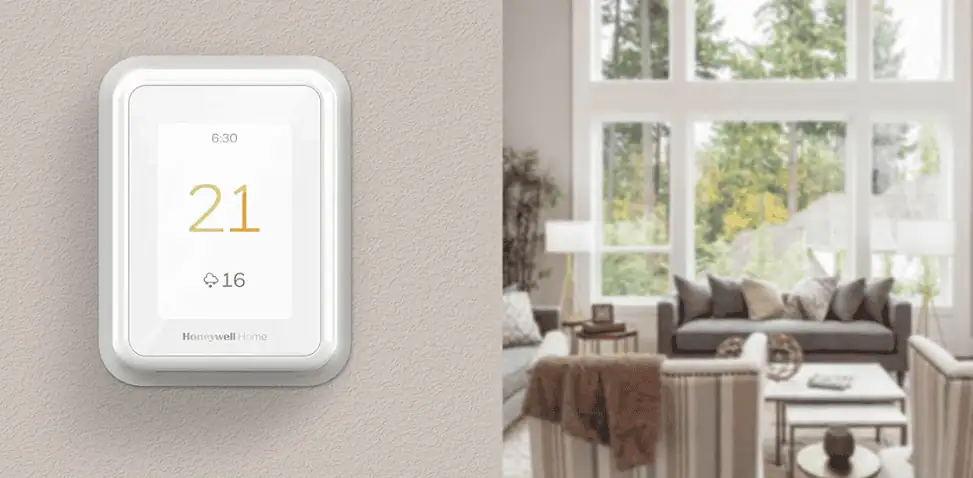
5. Honeywell Home T9 Smart Thermostat
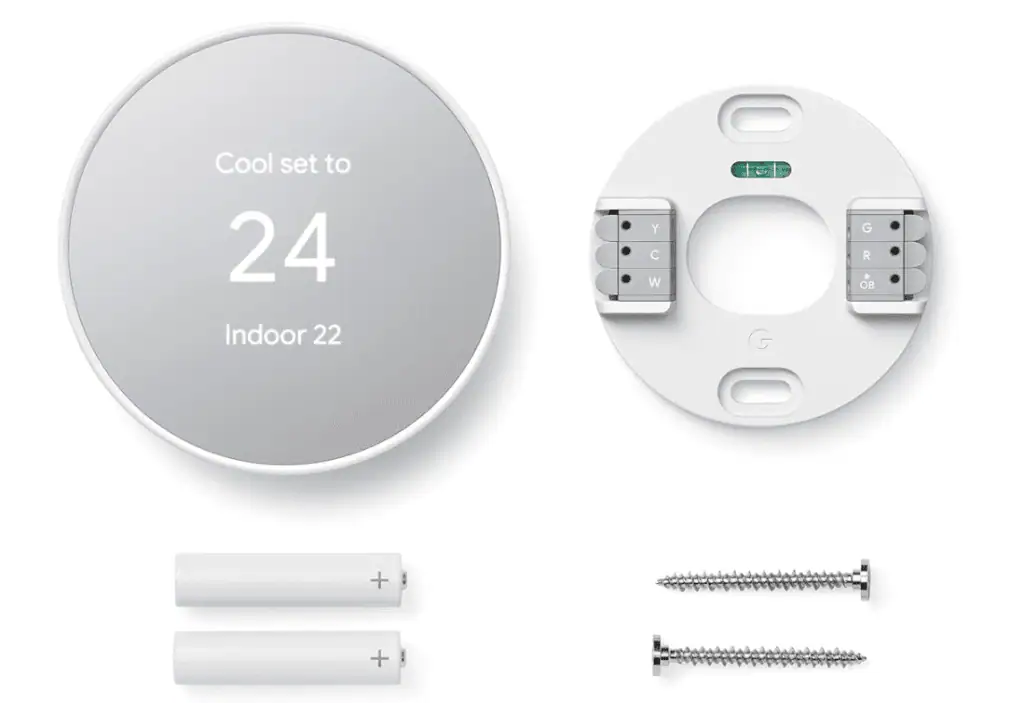
Best overall smart thermostat in Canada: Google Nest Thermostat
Pros:
- Auto-scheduling to reduce energy use
- App-based control through Google Home
- Compatible with Alexa and Google Assistant
- Designed for DIY installation with wide compatibility
Cons:
- No touchscreen controls
The Details:
- Controller Type: Amazon Alexa, Google Assistant, Nest App
- Colours: Charcoal, Fog, Sand, and Snow
- Connectivity: Wi-Fi
- Display Type: LCD
- Controls: Button Controls and App Controls
The Google Nest Thermostat is a good fit for households that want to save energy without constantly adjusting settings. It works well for people with changing schedules, especially those who are in and out during the day. That’s because of one of its most useful features, the ability to automatically adjust temperatures when no one is home.
Auto-scheduling and the Savings Finder work together to build an energy-efficient routine over time. Rather than locking you into a strict program, the system adapts as your habits change and allows for easy adjustments through the app. Remote access through the Google Home app adds flexibility, whether you’re out for the day or getting comfortable at home.
Installation is designed to be manageable for most users, with guided instructions in the app and clearly labelled wires. The display is easy to read, and the physical controls make quick adjustments straightforward. Its compact design also helps it blend in visually, particularly if you choose a colour that suits your space.
This thermostat isn’t the best choice for homes with more complex HVAC systems unless compatibility is checked in advance. It also suits users who are comfortable relying on an app rather than a built-in touchscreen. For people looking for a low-effort way to manage heating and cooling more efficiently, it fits neatly into everyday use.
Our Expert Opinion: “The Google Nest Thermostat lives in the space between automation and user control. It focuses on practical energy management rather than advanced customization, which is better suited to everyday Canadian households. It does the work in the background so you don’t have to worry too much.”
Customers Are Saying: “It’s easy to set up but can be a little difficult to connect to the app. Once you get it set up, it’s easy to use. I love the different colour options. It looks attractive on my wall instead of looking out of place like some thermostats.”

Who is the Google Nest Thermostat for?
- Households looking for energy savings. The automatic temperature adjustment features mean that this thermostat can save a lot of energy.
- Canadians who are already invested in the Google Home ecosystem. If you already have multiple Google devices, the Nest Thermostat will integrate well.
- Those who want app-based control without complex setup. Getting your smart devices connected to your apps can be a pain, but this thermostat connects without any issues.
Who should avoid the Google Nest Thermostat?
- Those who want a touchscreen interface. This thermostat relies on buttons and app control, so those who want a touchscreen may want to avoid it.
Instead, choose… the Ecobee Smart Thermostat.
If you definitely need a smart thermostat with touchscreen controls, the Ecobee Smart Thermostat is perfect for you. It has a simple touchscreen interface that is beautiful and responsive, with multiple features that help you control your comfort without opening the app.
Features Breakdown
- Controller Type: Amazon Alexa, Google Assistant, Nest App
- Colours: Charcoal, Fog, Sand, and Snow
- Connectivity: Wi-Fi
- Display Type: LCD
- Controls: Button Controls and App Controls
- Included Components: Mounting Screws, Wire Labels, Nest Thermostat Base, Nest Thermostat Display, Installation Guide
- Special Feature: Auto-Scheduling
- C Wire Required: No
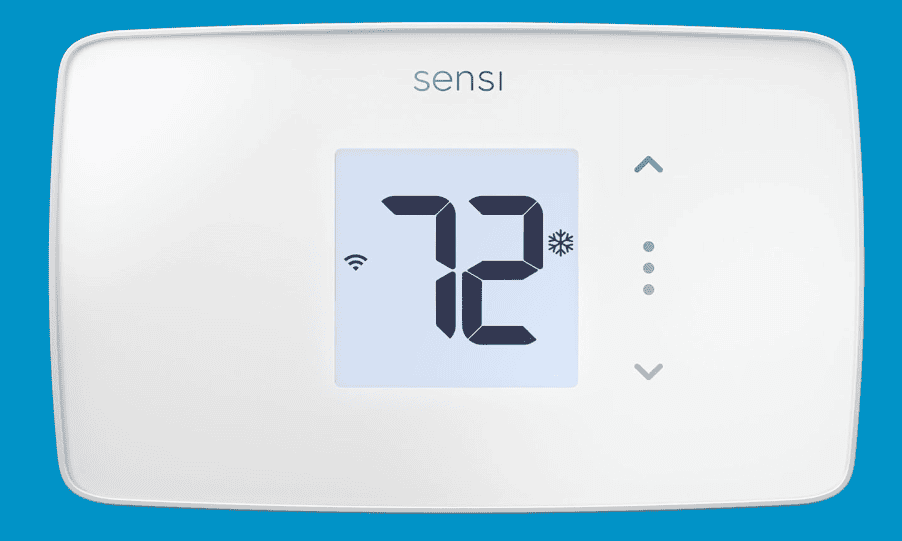
Best simple smart thermostat in Canada: Emerson Sensi Lite Smart Thermostat
Pros:
- ENERGY STAR certified
- Flexible scheduling tools
- Smart maintenance alerts and usage reports
- Strong focus on privacy
Cons:
- Requires a C wire for heat-only and cool-only systems
The Details:
- Controller Type: Hand controls
- Colours: White
- Connectivity: Wi-Fi
- Display Type: LCD
- Controls: Touch Buttons and App Controls
The Emerson Sensi Lite Smart Thermostat is designed for homeowners who want smart controls that don’t demand constant attention. It works well with standard heating and cooling systems and suits people who prefer clear schedules and helpful maintenance reminders. Energy efficiency is a consistent focus throughout the design.
Features like flexible scheduling, auto changeover, and usage reports make it easier to understand how the system runs day to day. Maintenance alerts, including filter reminders, add practical value by supporting long-term HVAC performance. Remote access through the mobile app keeps adjustments simple, even when you’re away from home.
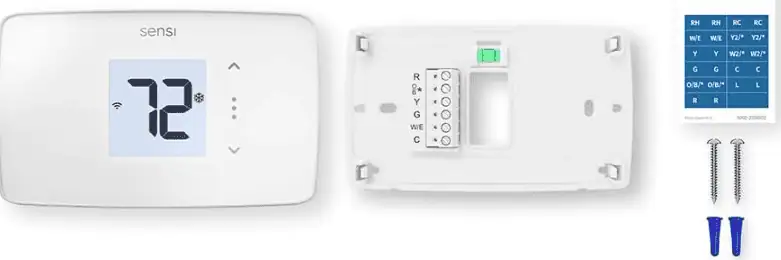
Installation is approachable for DIY users, with illuminated terminals, a built-in level, and clear instructions to guide the process. Battery power keeps the thermostat running reliably once it’s installed, and the interface stays easy to read. Overall, it feels straightforward rather than overloaded with features.
This model works best in homes that already have a compatible C wire in place. It may feel limited for users looking for deeper smart home integration or advanced automation. For people who value privacy, clarity, and dependable scheduling, it offers a calm, practical way to manage indoor temperatures.
Our Expert Opinion: “The Sensi Lite focuses on everyday reliability and energy management. Its maintenance tools stood out to us, especially in a crowded category loaded with smart features. When you want smarter features without complicated setup or controls, this thermostat works well.”
Customers Are Saying: “I’m happy with how simple this smart thermostat is. While it doesn’t have the same features as more expensive smart thermostats, it’s exactly what I need. It works great and it’s super accurate, which is all I need to be happy.”
Who is the Emerson Sensi Lite Smart Thermostat for?
- Homeowners who want clear scheduling and energy reports. Energy reports and scheduling features mean that this thermostat does even more work for you.
- Users who prioritize data privacy. Even though it’s a Wi-Fi thermostat, the Emerson Sensi Lite Smart Thermostat isn’t going to sell data about your home, comfort level, or settings.
- Homes with standard HVAC systems and a C wire. Installation is simple for this smart thermostat, but only if your home is already compatible.
Who should avoid the Emerson Sensi Lite Smart Thermostat?
- Canadians who want smart assistant integrations. This smart thermostat lacks the smart assistant integrations that some other options have.
Instead, choose… the Google Nest Thermostat.
The Google Nest Thermostat offers a lot of smart features with smart assistant integration. It works via the app, where you can access all of the smart features. If you want more integrations with your existing smart ecosystem, the Google Nest Thermostat might be the best choice for you.
Features Breakdown
- Controller Type: Hand controls
- Colours: White
- Connectivity: Wi-Fi
- Display Type: LCD
- Controls: Touch Buttons and App Controls
- Included Components: Thermostat, Wire Labels, Mounting Hardware, Installation Guide, AAA Batteries
- Special Feature: Filter Indicator, Low Voltage, Programmable
- C Wire Required: No
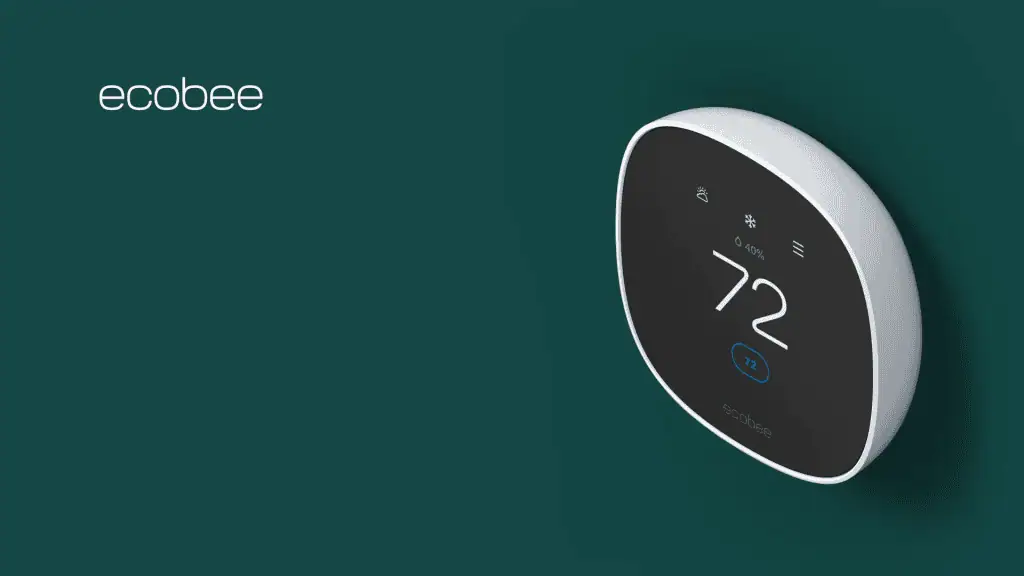
Best touchscreen smart thermostat in Canada: Ecobee Smart Thermostat
Pros:
- Colour touchscreen with app-based remote control
- Auto-Away and scheduling features adapt to daily routines
- Broad smart home compatibility
- Optional SmartSensor support for room-based temperature control
Cons:
- Some features require optional accessories (sold separately)
The Details:
- Controller Type: Amazon Alexa, Android, Apple HomeKit, Google Assistant, iOS
- Colours: White/Black
- Connectivity: Wi-Fi
- Display Type: Touchscreen
- Controls: Touchscreen
The Ecobee Smart Thermostat suits households that want more control over comfort without needing to adjust settings throughout the day. It works well for people who split time between home and away, adapting automatically as routines shift. The colour touchscreen offers a clear, hands-on way to manage temperature when you want to make quick changes.
Features like Auto-Away mode and built-in scheduling help balance comfort with energy awareness, while the app makes it easy to review usage patterns and fine-tune saved settings. Support for SmartSensors adds flexibility by letting you focus heating and cooling on the rooms you use most. When placed correctly and added into the ecosystem, the SmartSensors will give you unique readings for every room and help you control individual temperatures.
Day-to-day use feels intuitive thanks to the responsive display and a clearly laid-out app. Installation is approachable for DIY users, with options for homes that don’t already have a C wire. Maintenance reminders, such as filter alerts, help support long-term system upkeep.
This thermostat isn’t a great fit for homes with incompatible voltage systems or for users unwilling to confirm wiring ahead of time. It can be a little difficult to install compared to some of the other options on our list. However, it’s best suited to people who want flexibility, app-based control, and the option to expand room-level comfort over time.
Our Expert Opinion: “Ecobee’s approach focuses on versatility rather than fixed programming. The automation works well with the manual controls, so you can fine-tune your experience as your habits change.”
Customers Are Saying: “I thought that installing this smart thermostat would be complicated, but I’m really surprised with how easy it ended up being. It doesn’t have a lot of the heavier features that others do, but it works perfectly for us.”
Who is the Ecobee Smart Thermostat for?
- Users who want app and touchscreen control. The touchscreen and app controls work well, especially when used interchangeably.
- Those who use multiple smart home platforms. If you use multiple smart home platforms (or don’t want to worry about broader compatibility), this thermostat is a great option.
- Canadians who want room-specific temperature tracking. If you want to make sure that some rooms stay at more appropriate temperatures, this smart thermostat can make that happen.
Who should avoid the Ecobee Smart Thermostat?
- Those who want a simpler setup. While this smart thermostat has a lot of great features, the setup can be a bit complicated for some Canadians.
Instead, choose… the Emerson Sensi Lite Smart Thermostat.
The Emerson Sensi Lite Smart Thermostat is a very lightweight version of a smart thermostat. Unlike most of the other options here, it lacks some smart features that may be desirable. On the other hand, it’s easier to install and setup than some of the more complicated options here.
Features Breakdown
- Controller Type: Amazon Alexa, Android, Apple HomeKit, Google Assistant, iOS
- Colours: White/Black
- Connectivity: Wi-Fi
- Display Type: Touchscreen
- Controls: Touchscreen
- Included Components: Backplate, Screws, Drywall Plugs, Wire Labels, Thermostat
- Special Feature: Auto-Away Mode, Auto-Scheduling, Programmable, Temperature Display
- C Wire Required: Yes (Unless You Purchase the Power Extender Kit)
Best connectivity smart thermostat in Canada: Meross Smart Thermostat
Pros:
- Detailed scheduling that runs even without Wi-Fi
- Filter and system alerts for ongoing maintenance
- Quick DIY installation
- Matter technology leads to better compatibility
Cons:
- Not compatible with baseboard heaters
The Details:
- Controller Type: Amazon Alexa, Apple HomeKit, Google Assistant, Matter, SmartThings
- Colours: White or Black
- Connectivity: Wi-Fi
- Display Type: Touchscreen
- Controls: App Controls, Touchscreen, Voice
This thermostat is a good fit for users who want structured scheduling and broad platform support in a clear, easy-to-use design. It suits homes that rely on consistent heating and cooling routines rather than frequent manual changes. Matter compatibility makes it easier to connect across different smart home ecosystems without committing to a single platform.
Scheduling tools support detailed daily routines, and those schedules continue to run even if Wi-Fi drops out. Usage tracking and system alerts help users keep an eye on how their HVAC system is performing over time. App control also makes it easy to adjust settings while away from home.
Installation is designed to take under half an hour, with step-by-step guidance provided through the Meross app. The display stays easy to read, and adjustable dimming helps it blend into shared living spaces. Day-to-day interaction stays focused on routine adjustments rather than advanced automation.
This model requires compatible wiring, which may rule out some homes without a C wire. On the other hand, it’s great for users with dependable schedules who need practical alerts instead of advanced automation features.
Our Expert Opinion: “Meross’s Smart Thermostat offers a clean, no-nonsense thermostat experience. Matter support and offline scheduling are practical and reliable features.”
Customers Are Saying: “This thermostat exceeded all of my expectations. I was hesitant because it wasn’t one of the big name smart thermostats, but it works really well and was super easy to set up. I love the programmable schedules, so the air conditioning isn’t running the entire time I’m at work.”
Who is the Meross Smart Thermostat for?
- Homes using Matter-enabled smart home platforms. Matter technology makes this thermostat extremely compatible.
- Users who rely on detailed, repeatable schedules. If you want to make sure that your home remains at the perfect temperature throughout the day, this thermostat can help with better scheduling.
- DIY installers who can check their own wiring. If you are comfortable checking your own compatibility, your experience with this smart thermostat will be markedly better.
Who should avoid the Meross Smart Thermostat?
- Those who have electric baseboard heating. Older homes, especially those with electric baseboard heating, aren’t compatible with this thermostat.
Instead, choose… the Honeywell Home T9 Smart Thermostat.
While the Meross Smart Thermostat has a lot of great smart features, the Honeywell Home R9 is one of the most advanced smart thermostats on our list. The room-based sensor capability is great for larger homes, and the Geofencing capabilities are second-to-none, even on our list.
Features Breakdown
- Controller Type: Amazon Alexa, Apple HomeKit, Google Assistant, Matter, SmartThings
- Colours: White or Black
- Connectivity: Wi-Fi
- Display Type: Touchscreen
- Controls: App Controls, Touchscreen, Voice
- Included Components: Screws and Anchors, Thermostat, Trim Plate, Backplate, User Manual, Wiring Sticker
- Special Feature: Filter Indicator, Programmable
- C Wire Required: Yes
Best advanced smart thermostat in Canada: Honeywell Home T9 Smart Thermostat
Pros:
- Monthly Energy Report helps track energy use
- Geofencing supports automatic Home and Away adjustments
- Can work with optional Smart Room Sensors for multi-room comfort
- DIY-friendly setup that identifies heating and cooling type during installation
Cons:
- Requires a C wire
The Details:
- Controller Type: Amazon Alexa, Android, Google Assistant, iOS
- Colours: White
- Connectivity: Wi-Fi
- Display Type: Touchscreen
- Controls: Touchscreen, App Control
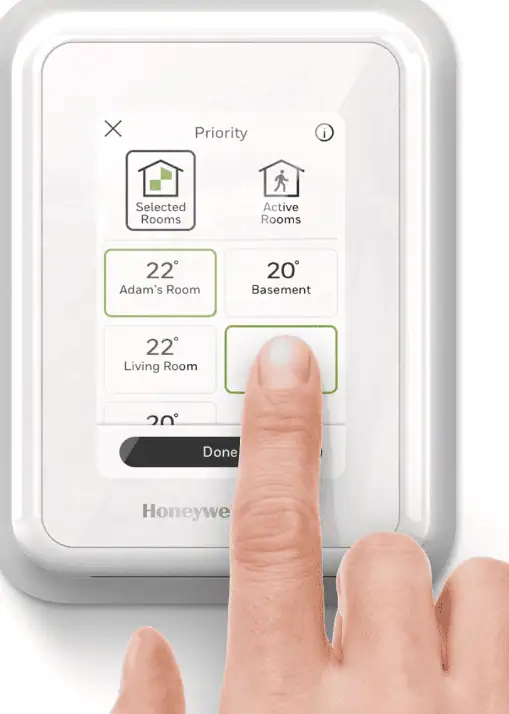
Honeywell’s T9 is a Wi-Fi thermostat designed for people who want comfort to follow their routine rather than the other way around. It works well for households that are in and out during the day and prefer temperature changes to happen automatically. Geofencing is the main draw here, allowing the system to switch between Home and Away modes without manual input.
The Monthly Energy Report helps highlight heating and cooling patterns over time, making usage easier to understand at a glance. Scheduling can be tailored to daily routines, and the system may also connect with local utility efficiency programs where available. Adding Smart Room Sensors lets you focus comfort on the rooms you use most instead of treating the entire home the same.
Setup is intended to feel manageable for a DIY install, with the thermostat identifying your heating and cooling system as you go. Control is handled through the Honeywell Home app, with optional voice support through platforms like Alexa and Google Assistant. In daily use, it’s the kind of thermostat you set up once and adjust occasionally from your phone.
This model doesn’t work with electric baseboard heating, and the C-wire requirement means some homes will need to confirm wiring before purchasing. It also works best for users open to adding sensors later for more precise room-level control. For households that value automation, energy insight, and a clear setup process, the T9 fits comfortably into everyday routines.
Our Expert Opinion: “The Honeywell T9 leans into convenience. With geofencing, clear energy reporting, and easy installation, this thermostat feels great for users who want extensive smart features.”
Customers Are Saying: “This thermostat was really easy to install. One of my favourite features is the way the display changes colour when heating (orange) or cooling (blue). It really helps me see if it’s working at a glance (it’s always working).”
Who is the Honeywell Home T9 Smart Thermostat for?
- Canadians who need automatic Home/Away temperature shifts. You won’t have to do any manual adjustment if you want your thermostat to work differently while you are away.
- Users who like seeing energy use in a monthly report. You can easily see your monthly energy report and make adjustments if needed.
- Homeowners who want targeted comfort for each room. The ability to add room sensors allow you to target specific comfort levels for each room.
Who should avoid the Honeywell Home T9 Smart Thermostat?
- Homes without a C wire. This thermostat requires a C wire, so you should avoid it if you don’t have one.
Instead, choose… the Meross Smart Thermostat.
The Meross Smart Thermostat is similar to the Honeywell T9, but it’s a little simpler and easier to install. It also requires a C wire for installation, but you can also use a C wire adaptor. You can program schedules, but the thermostat won’t automatically adjust like the Honeywell.
Features Breakdown
- Controller Type: Amazon Alexa, Android, Google Assistant, iOS
- Colours: White
- Connectivity: Wi-Fi
- Display Type: Touchscreen
- Controls: Touchscreen, App Control
- Included Components: Thermostat, Mounting Hardware, Installation Manual
- Special Feature: ENERGY STAR certified, Geofence Technology
- C Wire Required: Yes
Frequently Asked Questions
Some of the downsides of smart thermostats include costly smart options and a need to be generally tech-savvy to use them. If you aren’t sure how to set up smart devices, it can be challenging. Additionally, if you want a lot of smart options, you should be prepared to pay quite a bit more than you would for a standard thermostat.
While this can vary based on the weather and the insulation in your home, it’s generally considered the most efficient to keep your thermostat at two different baseline temperatures. During the summer, it’s best to keep the air conditioning at 25 °C. During the winter, you can kick it down to about 20 °C for heating.
Yes, smart thermostats can function without the internet. You lose some functions, such as remote access and app-based controls, but the thermostat will continue to maintain temperature like a standard thermostat might.

This Post Has 6 Comments
I didn’t realize how much compatibility with older HVAC systems matters when choosing a smart thermostat. That’s an easy detail to miss.
Do smart thermostats still make sense if you’re home most of the day, or are they better for people with more predictable schedules?
Smart thermostats can be great, whether you stay at home all day or have a more predictable schedule. Their features are still helpful if you are using them while you are at home.
Thanks for mentioning whether or not you need a C-wire. This is really helpful information to have at a glance when choosing a thermostat
Is it worth upgrading from a programmable thermostat if it’s already working fine, or is that more of a convenience upgrade?
Upgrading to a smart thermostat can still give you a lot of benefits, including being able to set schedules from an app or with voice controls. If the thermostat has app controls, you’ll be able to do a lot from your phone even if you’re in bed or sitting on the couch, which makes the upgrade worth it for some.