

Larger homes with more devices can sometimes struggle with the signal from a Wi-Fi router. If getting further away from the router causes you to lose signal, a Wi-Fi extender might be able to help. Most of the time, they are simple to set up and can boost your signal to devices that usually get shafted by poor Wi-Fi range. The best Wi-Fi extenders in Canada can make using your laptop on the other side of the house smoother, or reduce lag on your gaming console in the basement.
What We Looked For
When looking for the best Wi-Fi extenders in Canada, we looked for a few different factors. First, the brand name was important to us. As with most tech devices, the name of the brand can tell you about the quality of the product. We also looked at the range of the devices, coverage bands, and how many devices can reasonably be supported. Features like access points and proprietary software to strengthen signals were always great to see. These Wi-Fi extenders will meet all of your needs, regardless of the size of your house or your device profile.
Best Wi-Fi Extenders in Canada: Our Top 2026 Picks
1. TP-Link AC1900 WiFi Extender
2. Generic WiFi Extender
3. TP-Link AC1200 WiFi Extender
4. Anahit WiFi Extender Signal Booster
5. TP-Link AX1800 WiFi Extender
Best overall Wi-Fi extender in Canada: TP-Link AC1900 Wi-Fi Extender

Pros:
- Dual-band coverage up to 1900 Mbps for everyday tasks
- Supports up to 35 connected devices
- 3 adjustable external antennas for more flexibility
- Built-in Access Port mode via Ethernet Port
Cons:
- Must be positioned carefully to be effective
The Details:
- Transfer Rate: Up to 1900 Mbps
- Frequency Bands: Dual (2.4 GHz and 5 GHz)
- Antennas: 3
- Controls: App-Based
- Dimensions: 34 x 49 x 79 mm
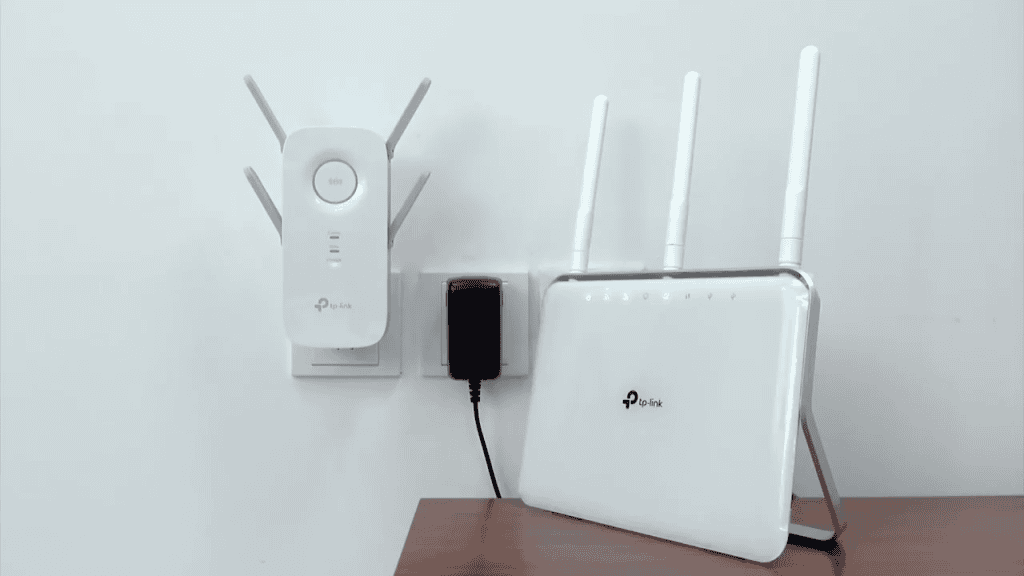
Dead zones are common in busy households, and the TP-Link AC1900 Wi-Fi Extender is built for situations where a single router can’t quite cover the whole space. It’s a dual-band extender intended for medium to large homes, with enough bandwidth to handle streaming, browsing, and multiple connected devices without constant drop-off. Support for both 2.4 GHz and 5 GHz bands improves the range and speed of your signal throughout the house.
In practice, traffic is spread across the two bands. Lighter tasks like email and web browsing can sit comfortably on 2.4 GHz, while higher-demand use like online gaming and HD streaming work well on 5 GHz. You can position the three external antennas to better aim the signal into weaker areas, which helps in rooms just outside the router’s natural reach. OneMesh, TP-Link’s proprietary software feature, allows the extender to share a single network name with a compatible TP-Link router. This means there will be no pauses or readjustments when moving from room to room.
Setup is simple, so you won’t be messing with tech all day. The extender plugs directly into a wall outlet and uses a built-in signal indicator to help you find the proper placement for it. Ongoing management happens through the TP-Link Tether app on Android or iOS, where setup and basic controls are handled without digging into browser settings. The Ethernet port allows it to run in Access Point mode, which is useful if you want to convert a wired connection into wireless coverage. Most won’t need this port.
This extender is made to improve coverage and stability for your Wi-Fi signal. If you are willing to spend a little extra time dialing in the correct placement and smoothing out weak spots, this extender can help improve your experience with your Wi-Fi connection.
Our Expert Opinion: “Some extenders try to go for flashy features, but this one is more focused on providing reliability. It’s best for households that deal with a lot of dropped connections or uneven signals from one room to another.”
Customers Are Saying: “I used to lose my Wi-Fi signal when I went upstairs immediately, but this extender helped me stay online and connect the security cameras outside my home more securely.”
Who is the TP-Link AC1900 WiFi Extender for?
- Homes with Wi-Fi dead zones or weak signals in some rooms. Some rooms are natural dead zones that your router can’t quite reach, but this extender can help.
- Households with many connected devices. This extender can handle up to 35 connected devices at once, so your TVs, computers, phones, game consoles, and tablets can all connect seamlessly.
- Canadians who want to keep their existing router. You don’t have to get a new router to use this extender because it is fully universal.
Who should avoid the TP-Link AC1900 WiFi Extender?
- Those expecting a bump to their connection speed. A Wi-Fi extender isn’t going to increase the speed of your native connection, so it can’t boost the signal your ISP is giving you.
Instead, choose… the TP-Link AX1800 Wi-Fi 6 Extender.
Newer networks with modern devices need an upgraded Wi-Fi extender, which is exactly where the AX1800 comes in. This TP-Link extender is more efficient and better at handling congestion, though you lose external antennas in the process.
Features Breakdown
- Transfer Rate: Up to 1900 Mbps
- Frequency Bands: Dual (2.4 GHz and 5 GHz)
- Antennas: 3
- Controls: App-Based
- Dimensions: 34 x 49 x 79 mm
- Wireless Standards: 802.11a, 802.11ac, 802.11b, 802.11g, 802.11n
- Compatibility: Universal
- Special Features: Ethernet Access Point Mode, Intelligent Signal Indicator
Best basic Wi-Fi extender in Canada: Generic Wi-Fi Extender
Pros:
- Supports both 2.4 GHz and 5 GHz bands
- Connects up to 60 devices across an extended range
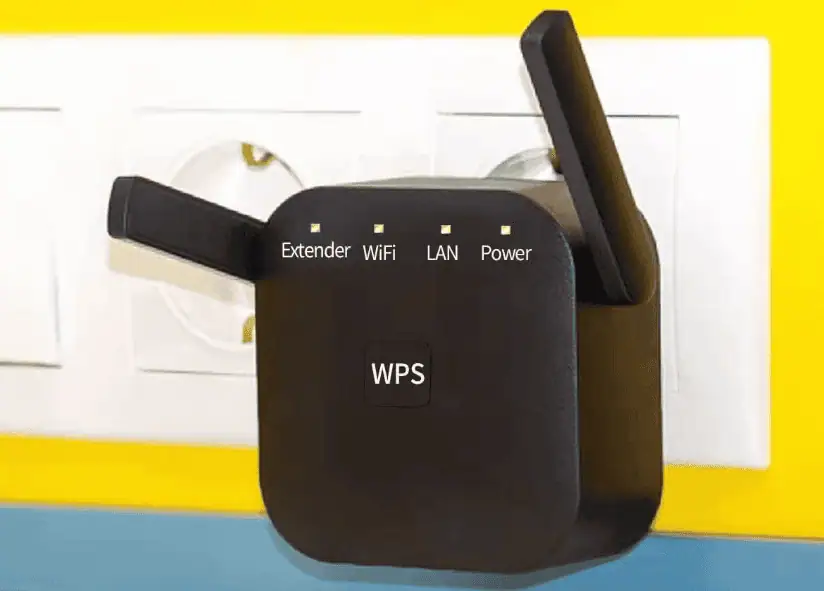
- One-touch WPS connection for quick setup
- Smart signal lights guide placement
Cons:
- Less established brand reputation
The Details:
- Transfer Rate: 300 Mbps
- Frequency Bands: Dual (2.5 GHz and 5 GHz)
- Antennas: 2
- Controls: One-Touch Connection
- Dimensions: 8.7 x 7.5 x 6.2 cm
Some homes just need a straightforward way to deal with weak signal spots, and the Generic Wi-Fi Extender is built to fill the gap without hours of tech support. It’s a plug-in model designed to widen coverage for common household devices, with one-touch connection doing most of the work. It offers convenience rather than fine network tuning, so you can get a stronger signal throughout the house without too much tinkering.
Coverage comes from dual-band support, allowing lighter background traffic to sit on 2.4 GHz while higher-demand tasks can use 5 GHz when available. This means that scrolling on your phone isn’t going to destroy the quality of the show you’re streaming, and watching social media videos won’t cause lag in your online games. Two external high-gain antennas help push Wi-Fi signal into rooms where a router might struggle to reach.
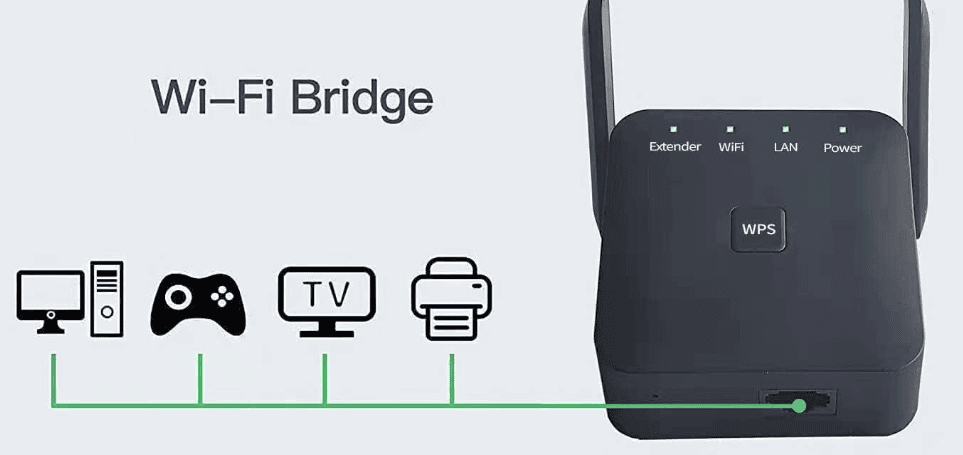
With support for up to 60 devices, it can handle a growing mix of phones, TVs, cameras, tablets, laptops, smart thermostats, security cameras, and just about anything else you need to stay connected to. The plug-in design makes it easy to get started, as you only have to plug it in and push the WPS button on both the router and extender. Connection is established in seconds. Built-in signal lights offer feedback on placement, which helps avoid setting it up too close to the router or too far away. Once it’s in place, it runs quietly and without much ongoing attention.
As with most extenders, the results depend heavily on placement. It improves coverage rather than increasing the speed of your internet plan, and you might see that your Wi-Fi is slower or more unpredictable with multiple devices attached. However, this extender works best for users who want a low-effort way to smooth out dead zones in small and mid-sized spaces without diving too deeply into network settings.
Our Expert Opinion: “The Generic Wi-Fi Extender focuses on ease of use and convenience above all else. It provides coverage for basic gaps, and works with minimal setup for households who don’t want to mess with more complicated devices.”
Customers Are Saying: “I was skeptical about getting a ‘generic’ device, but this works o well for us. It’s so easy to connect, and it doesn’t take long to set up, so you’re ready to go in no time.”
Who is the Generic Wi-Fi Extender for?
- Canadians who want a fast setup. Setup is extremely fast and simple, so you can set it and forget it.
- Those with multiple everyday devices spread across several rooms. Devices you use every day can stack up, but this extender helps bring coverage to up to 60 of them across your home.
- Renters who need coverage boost in apartments. This is the perfect solution for those who need better coverage in their apartments.
Who should avoid the Generic Wi-Fi Extender?
- Those who want detailed network management. Some extenders give you access to a full range of network tools, but this one only provides the bare minimum.
Instead, choose… the TP-Link AC1200 Wi-Fi Extender.
If you want the same level of simplicity from a known brand, you should choose the AC1200. This extender also uses app-based setup and clearer placement guidance, so it’s more predictable without being complicated.
Features Breakdown
- Transfer Rate: 300 Mbps
- Frequency Bands: Dual (2.5 GHz and 5 GHz)
- Antennas: 2
- Controls: One-Touch Connection
- Dimensions: 8.7 x 7.5 x 6.2 cm
- Wireless Standards: 802.11ac, 802.11n
- Compatibility: Universal
- Special Features: Plug and Play, No App, Smart Signal Lights
Best small range Wi-Fi extender in Canada: TP-Link AC1200 Wi-Fi Extender

Pros:
- Dual-band coverage up to 1200 Mbps
- Supports up to 25 devices across 1,500 sq. ft.
- OneMesh-ready for compatible TP-Link routers
- Smaller coverage range for smaller spaces
Cons:
- Won’t spread the signal far enough for larger homes
The Details:
- Transfer Rate: 1200 Mbps
- Frequency Bands: Dual (2.4 GHz and 5 GHz)
- Antennas: 2
- Controls: App-Based
- Dimensions: 3.6 x 8.9 x 12.4 cm
The TP-Link AC1200 Wi-Fi Extender is best for home here Wi-Fi coverage drops off towards the edges. If you can’t put your router in a central location, devices on the other side of the house might struggle to stay connected. This extender is designed for those who need a steadier signal in a few additional rooms for a few standard devices. Dual-band support does most of the work here.
Traffic is shared across the 2.4 GHz and 5 GHz bands to keep devices from piling into a single channel. This can help reduce signal loss or any slowing down based on the number of devices you need to connect. Adaptive Path Selection runs in the background to choose the most effective link back to the router, and High Speed Mode can dedicate one band to backhaul when conditions allow. Together, these features help maintain stability when several devices are active at once.
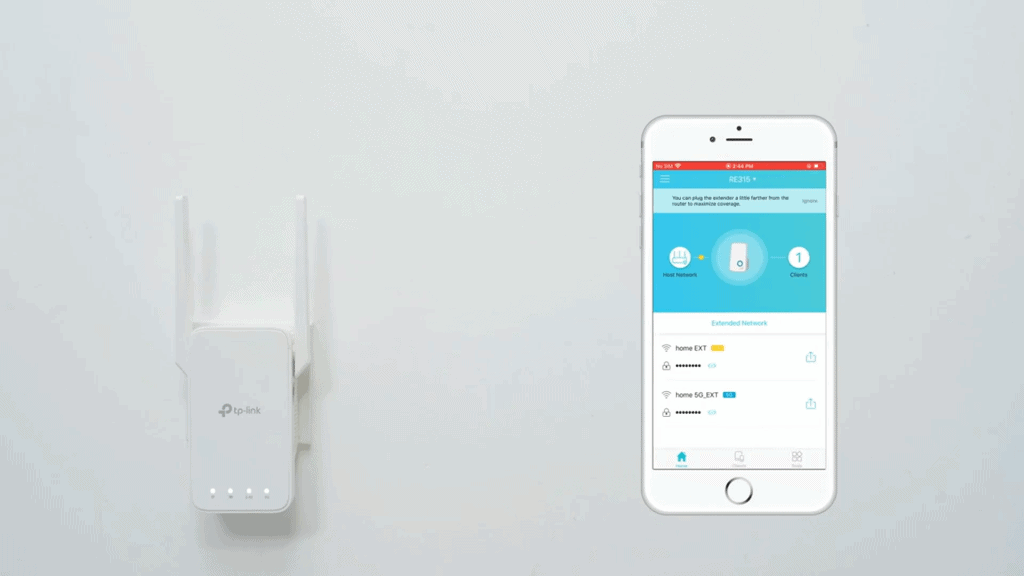
Setup runs through the TP-Link Tether app, which guides placement and configuration in a few clear steps. A built-in signal indicator helps you find a balance between distance and signal strength. The Fast Ethernet port adds some flexibility, whether you want to connect a wired device or use the unit in Access point mode when an Ethernet connection is available.
There are some practical constraints to keep in mind. Coverage is more limited here than with larger extenders, and the Ethernet port doesn’t deliver gigabit speeds. Where this model works well is in smaller spaces that need dependable coverage without overcomplicating things.
Our Expert Opinion: “The TP-Link AC1200 Wi-Fi Extender lands in a comfortable middle ground between simplicity and flexibility. It’s a good match for homes looking to smooth out coverage in a few rooms without using more complex network equipment.”
Customers Are Saying: “This extender helped iron out the weak spots in my signal, which was great for rooms further from the router. Setup was simple, too.”
Who is the TP-Link AC1200 Wi-Fi Extender for?
- Smaller homes with mild dead zones. Dead zones in smaller homes can be a pain, but this extender helps you end them.
- Canadians who want simple dual-band coverage. Dual-band coverage can sometimes be complicated, but this extender makes it easy.
- TP-Link router owners. If you already use a TP-Link router, this extender can be integrated into the OneMesh network.
Who should avoid the TP-Link AC1200 Wi-Fi Extender?
- Those who own larger homes. If you need coverage for a larger home, this might not be the right device for you.
Instead, choose… the TP-Link AC1900 Wi-Fi Extender.
If your need for coverage grows or streaming demand increases, the AC1900 provides more bandwidth headroom while keeping the same general user-friendly setup experience.
Features Breakdown
- Transfer Rate: 1200 Mbps
- Frequency Bands: Dual (2.4 GHz and 5 GHz)
- Antennas: 2
- Controls: App-Based
- Dimensions: 3.6 x 8.9 x 12.4 cm
- Wireless Standards: 802.11a, 802.11ac, 802.11b, 802.11g, 802.11n
- Compatibility: Universal
- Special Features: Ethernet Access Point Mode, Easy Set-Up, TP-Link OneMesh Ready
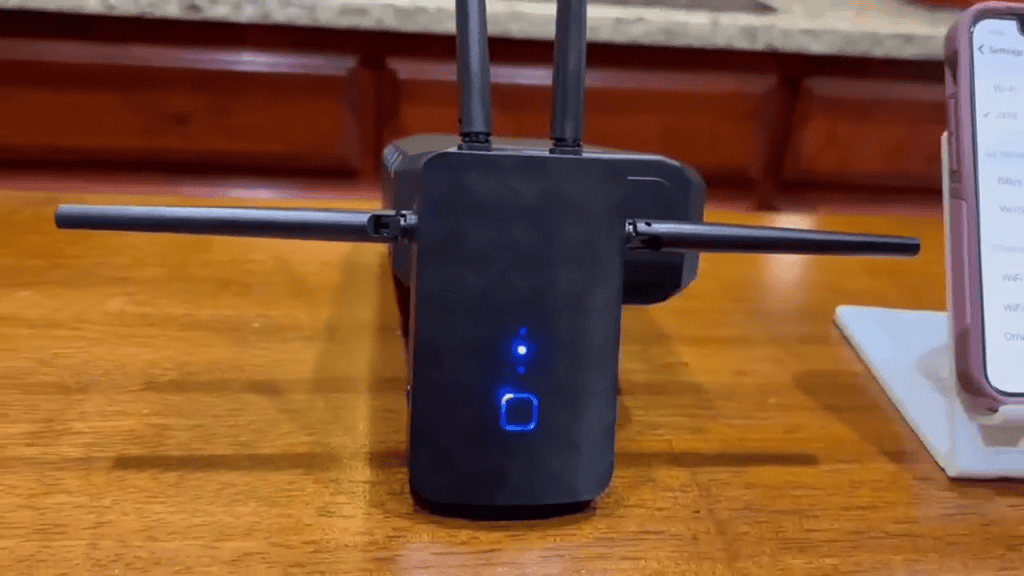
Best security Wi-Fi extender in Canada: Anahit Wi-Fi Extender Signal Booster
Pros:
- Supports up to 36 devices
- Dual-band support (up to 1200 Mbps)
- One-touch WPS setup
- Built-in encryption settings
Cons:
- The Ethernet port in Access Point mode is limited to 100 Mbps
The Details:
- Transfer Rate: 1200 Mbps
- Frequency Bands: Dual (2.4 GHz or 5 GHz)
- Antennas: 4
- Controls: One-Touch Connect
- Dimensions: 20.8 x 9.4 x 5.4 cm
Thick walls and awkward layouts are common reasons that Wi-fi struggles, and this Anahit extender is built to help smooth out these weak spots. It’s a dual-band model designed for homes that want steadier connections across multiple rooms without getting pulled into detailed network settings. The emphasis here is on a simple, button-based setup rather than hands-on tuning.
Coverage runs across both 2.4 GHz and 5 GHz bands, which works well for homes using a mix of phones, TVs, and computers at the same time. Support for up to 36 connected devices helps keep everyday traffic moving, while built-in network encryption adds basic protection for routine browsing and smart devices.
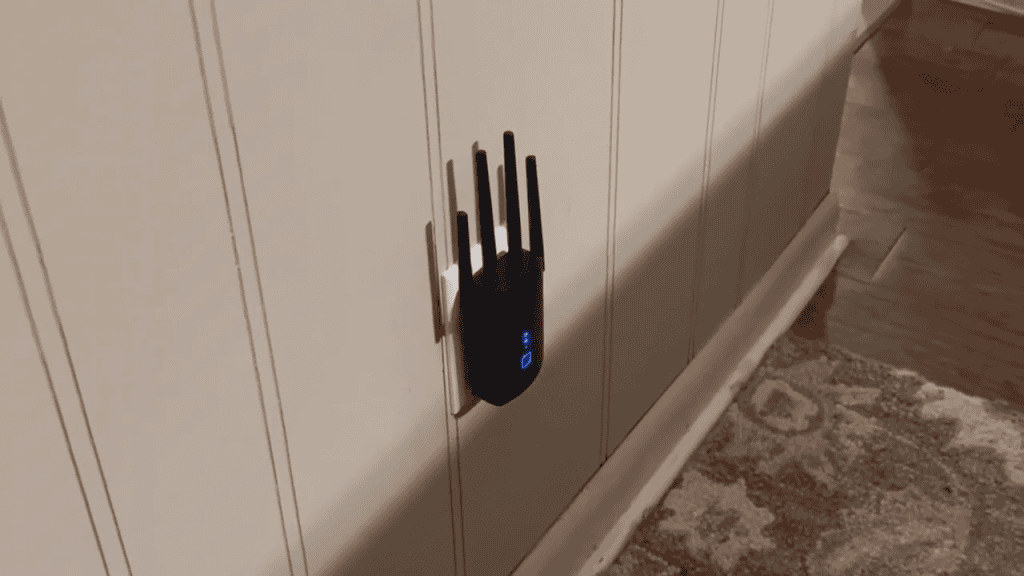
Getting started doesn’t take much effort. You plug it into an outlet, pair it with your router using the WPS button, and then adjust placement once the signal is established. The compact design sits neatly in a wall outlet, and it can switch into Access Point mode if you want to extend coverage from a wired connection instead.
There are a few things to keep in mind, though. The wired connection in AP mode is limited to Fast Ethernet speeds, which can top out at around 100 Mbps regardless of how fast the connection from your ISP is. Overall coverage gains depend heavily on placing this extender correctly, in a space between the extender and the areas that you need more signal strength. It’s a good option for homes where walls interfere with Wi-Fi signal, and ease of setup is preferred over advanced controls.
Our Expert Opinion: “The Anahit Wi-Fi Extender Signal Booster prioritizes accessibility over customization. Users who want broader coverage with minimal setup and no deep configuration will love the way that it just works for them.”
Customers Are Saying: “I’ve tried other ‘boosters’ that never worked, but this one did a great job of spreading our signal out so we had better connectivity over our whole house.”
Who is the Anahit Wi-Fi Extender Signal Booster for?
- Homes and apartments have signal loss because of the layout. Walls and unconventional layouts can cause signal loss to other rooms, but this extender fixes those issues.
- Those who don’t want app-based configuration. If you don’t want to install and connect an app to keep your extender working properly, this is the right choice for you.
- Households with many everyday Wi-Fi devices. This extender works well for homes with up to 36 devices, including phones, computers, and TVs.
Who should avoid the Anahit Wi-Fi Extender Signal Booster?
- Users who need fast wired connections. The Access Point mode available through this extender can only reach speeds of about 100 Mbps.
Instead, choose… the Generic Wi-Fi Extender.
For users who prioritize pure convenience over features, the Generic extender keeps things as hands-off as possible. If you don’t want to fine-tune your signal, this extender works perfectly.
Features Breakdown
- Transfer Rate: 1200 Mbps
- Frequency Bands: Dual (2.4 GHz or 5 GHz)
- Antennas: 4
- Controls: One-Touch Connect
- Dimensions: 20.8 x 9.4 x 5.4 cm
- Wireless Standards: 802.11a/b/g/n/ac
- Compatibility: Universal
- Special Features: Up to 36 Devices, 100 Meter Range
Best modern Wi-Fi extender in Canada: TP-Link AX1800 Wi-Fi Extender

Pros:
- Wi-Fi 6 dual-band speeds up to 1.8 Gbps for smoother multi-device use
- Covers up to 1,500 sq. ft. and supports up to 30 connected devices
- Gigabit Ethernet port for fast wired connections or Access Point mode
- OneMesh support for seamless roaming with TP-Link routers
Cons:
- Internal antennas aren’t adjustable like external ones
The Details:
- Transfer Rate: 1.8 Gbps
- Frequency Bands: Dual (2.5 GHz or 5 GHz)
- Antennas: None (Internal)
- Controls: App-Based
- Dimensions: 3.6 x 7.8 x 14.9 cm
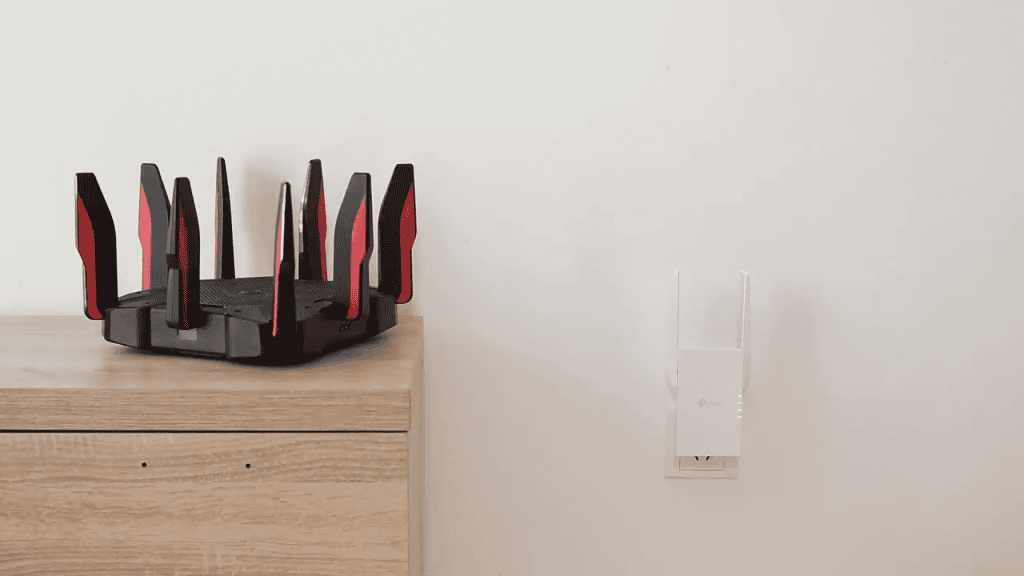
Homes that use a ton of new devices push older Wi-Fi setups to their limits, but the TP-Link AX1800 Wi-Fi Extender helps close the gap. It’s one of TP-Link’s best and most modern Wi-Fi extenders, with support for up to 30 connected devices across your home. Though it has a smaller coverage range than some of the larger models, the way it handles Wi-Fi 6 connections with improved performance means that it is small but mighty.
If your main router sometimes struggles, the dual-band Wi-Fi 6 support offered here helps manage multiple connections with less congestion. This is useful for homes with a ton of ordinary devices, including streaming devices, laptops, and phones. Features like OFDMA and beamforming work behind the scenes to help distribute data more evenly, so the signal is easier to steer to the place where it is needed most. With coverage rated up to about 1,500 square feet, it’s a good fit for homes that feel stretched towards the edges of their network.
Setup follows TP-Link’s familiar flow through the Tether app, using a signal indicator to guide placement so you’re not guessing where it performs best. Though it produces a stronger signal than some larger extenders, it’s small and unobtrusive once it is plugged in. This is due in part to the internal antennas rather than bulky external ones, but they cannot be adjusted or aimed as a result.
The Gigabit Ethernet port adds flexibility, allowing you to connect a TV or PC directly or run it in Access Point mode if you have an Ethernet connection available. However, older devices won’t benefit as much from the Wi-Fi 6 features, and placement is more important than ever since there are no antennas to aim.
Our Expert Opinion: “If you own a lot of newer Wi-Fi devices, this extender can help you upgrade your signal to meet your needs. It eliminates most of the struggles from outdated routers, keeping your modern devices running smoothly.”
Customers Are Saying: “It took some time to get this one set up. Once it was ready to go, it’s kept working for us for all of our devices.”
Who is the TP-Link AX1800 Wi-Fi Extender for?
- Homes with multiple modern Wi-Fi 6 devices. If you use a lot of Wi-Fi 6 devices regularly, this extender can make quite a difference.
- Canadians who want stronger coverage. This extender is one of the few that can actually strengthen your connection, especially with modern devices.
- Those who want app-based use. The Tether app helps guide placement and set up your network, so you aren’t working blind.
Who should avoid the TP-Link AX1800 Wi-Fi Extender?
- Households use mostly older devices. If most of your devices use Wi-Fi 5 or earlier, you won’t get the full effect from this extender.
Instead, choose… the TP-Link AC1900 Extender.
If most devices you use are still using Wi-Fi 5 or older, the AC1900 offers more adjustable coverage without relying on newer standards that won’t be fully utilized.
Features Breakdown
- Transfer Rate: 1.8 Gbps
- Frequency Bands: Dual (2.5 GHz or 5 GHz)
- Antennas: None (Internal)
- Controls: App-Based
- Dimensions: 3.6 x 7.8 x 14.9 cm
- Wireless Standards: 802.11ac, 802.11ax, 802.11b, 802.11g, 802.11n
- Compatibility: Universal
- Special Features: Ethernet Access Point Mode, Fast Transfer Rate
Frequently Asked Questions
Signal interference is a common problem with Wi-Fi extenders. Cordless phones, microwaves, and other electronic devices may operate on the same frequency, which can reduce performance and disrupt the signal to the devices you actually need to use.
Some of the best Wi-Fi extenders use dual-band coverage to reduce digital clutter. Antennas are a great feature to look for, too. They can help direct the signal more deliberately, pouring better signal strength into dead zones. Ease of use and simple setup are essential as well.
Most Wi-Fi extenders will come with instructions on how to set them up properly. For most, you can use the WPS button to connect instantly. To do this, plug the extender in near your router (just to start). Press the WPS button on the router and hold, and then use the WPS button on the extender. This will connect the devices, and then you can move the extender to where it will help the most.

This Post Has 4 Comments
I didn’t realize that the placement of the Wi-Fi extender affected performance just as much as the device itself.
Home layout seems to matter more than I thought. Older walls and multiple floors probably explain why my current setup struggles.
Does using an app really make that much of a difference? Do they perform better, or is the non-app version okay?
This depends on ease and how you want to use the extender. An app-based one allows you to change a lot of settings, which can be useful if you want more control over your network. Otherwise, the non-app ones will work fine.