

Regular deadbolts are simple and familiar, but only being able to unlock your door with a key seems risky these days. Keys can be lost or misplaced, and the only way to get past a lock once the key is gone is to break it. Smart locks, on the other hand, can rely on any number of methods to get your door open, from app access to biometrics and key codes. The best smart locks in Canada allow you to open your door with your phone, fingerprint, voice, or a set code instead of relying on a key alone.
What We Looked For
Smart locks come in all shapes and sizes, with some offering biometric features and others using app access only. We wanted to present a range of options for different types of entry, as well as some options that provide redundancies in case one method fails. Some are Wi-Fi compatible, and some don’t use Wi-Fi at all. There’s an option here for you, no matter what type of lock you need.
Best Smart Locks in Canada: Our Best Gift Picks
1. Teeho TE001 Keyless Entry Door Lock
2. Google Nest x Yale Lock Smart Lock
3. Schlage Encode Plus WiFi Deadbolt Smart Lock
4. Eufy Smart Lock C30
5. Teeho TE002 Fingerprint Door Lock
Best overall smart lock in Canada: Teeho TE001 Keyless Entry Door Lock
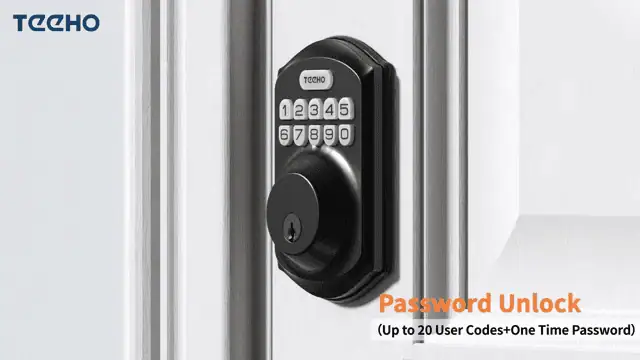
Pros:
- Stores up to 20 user PIN codes
- One-time PIN deletes automatically after use
- Adjustable auto-lock (10-99 seconds) with one-touch locking
- IP54 water resistance
Cons:
- No Wi-Fi connectivity or mobile app control
The Details:
- Colour: Stain Nickel
- Smart Features: Keypad
- Lock Type: Electronic Deadbolt
- Dimensions: 13 x 7.5 x 3.3 cm
- Installation Method: Screw-In
The Teeho TE001 focuses on keypad convenience without adding the complexity of a wireless network. It allows up to 20 user codes, which covers most households where family members or trusted visitors need routine access. Instead of juggling keys, entry is handled directly at the door.
Temporary access is handled through a one-time PIN that deletes after a single use. That feature works well for short visits such as deliveries or maintenance calls. The adjustable auto-lock can be set anywhere between 10 and 99 seconds, and one-touch locking simplifies securing the door when leaving.
Installation is relatively approachable for standard doors. A screwdriver is all that’s required, provided the bore hole matches typical 54 mm sizing. The aluminum alloy body carries an IP54 rating for dust and splash resistance, which supports outdoor installation in varied climates. A low battery indicator reduces the chance of unexpected power loss.
There is no app, remote access, or integration with broader smart home platforms. Door compatibility is also limited for smaller 38 mm bore holes. For households prioritising keypad access with multiple codes and configurable auto-lock timing, this model keeps the approach uncomplicated.
Our Expert Opinion: “The Teeho TE001 doesn’t offer any remote controls, but the combination of multi-user PIN storage and single-use codes makes it useful for family homes or rental-style setups.”
Customers Are Saying: “It was easier than I thought it would be to set this lock. Even in colder winter weather, this lock hasn’t let us down yet.”
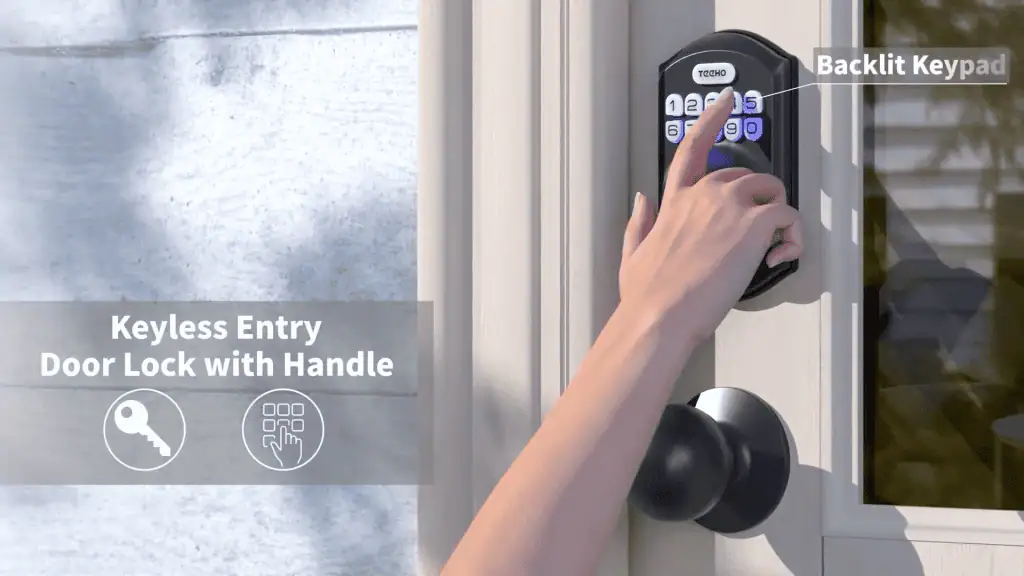
Who is the Teeho TE001 Keyless Entry Door Lock for?
- Canadians who need multiple permanent access codes. If you need to set up multiple permanent codes for different visitors or family members, this door lock is perfect.
- Homes in climates that require basic splash and dust resistance. Basic splash and dust resistance can save your lock from damage and distress in some climates.
- Those who don’t want to manage their locks on an app. If you don’t want to have to deal with an app for some lock functionality, this keyless door lock is a great choice.
Who should avoid the Teeho TE001 Keyless Entry Door Lock?
- Users with doors that use 38 mm bore holes. This lock isn’t compatible with 33 mm bore holes, so doors that use them won’t be able to use this lock.
Instead, choose… the Teeho TE002 Keyless Entry Door Lock.
The Teeho TE001’s strength lies in multi-user PIN codes and simple keypad control. The Teeho TE002 is an upgraded option that adds biometric unlocking, but maintains code storage and auto-locking flexibility for faster entry.
Features Breakdown
- Colour: Stain Nickel
- Smart Features: Keypad
- Lock Type: Electronic Deadbolt
- Dimensions: 13 x 7.5 x 3.3 cm
- Installation Method: Screw-In
- Included: Lock, 2 Keys, Latch, Striking Plate, Installation Instructions, and Programming Instructions
- Batteries Required: Yes
Best app-controlled smart lock in Canada: Google Nest x Yale Lock Smart Lock
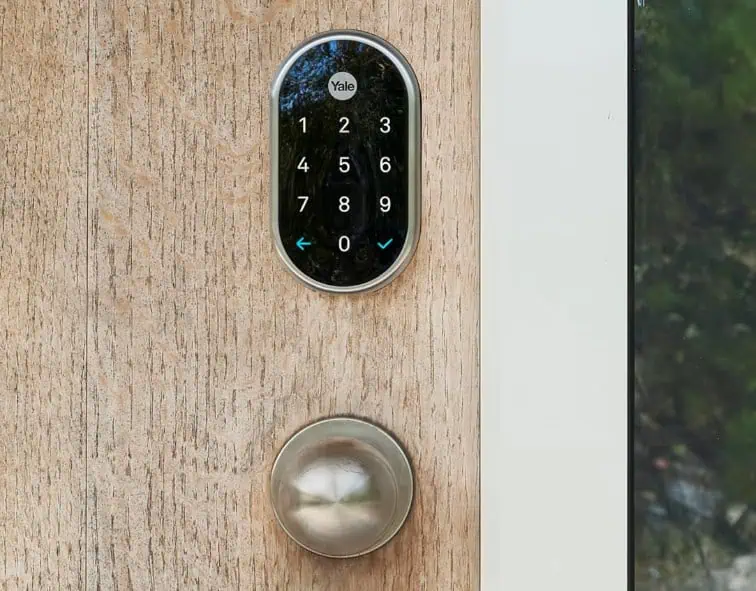
Pros:
- Keyless deadbolt removes the need for physical keys
- Remote lock and unlock control through the Nest app
- Unique passcodes with optional scheduling
- Built-in tamper alarm
Cons:
- No physical key override
The Details:
- Colour: Satin Nickel
- Smart Features: Keypad, Alarm, Keyless
- Lock Type: Deadbolt
- Dimensions: 1.4 x 6.6 x 2 cm
- Installation Method: Surface
The Google Nest x Yale Lock is made for remote management and code-based entry. It removes the key cylinder entirely, relying on keypad access and app control instead. For households already using connected home devices, it integrates naturally into daily routines through the Nest app.
Remote locking and unlocking are one of its defining functions. Whether granting entry to a visitor or checking the door after leaving home, control happens directly from a smartphone. Unique passcodes can be assigned to family members or guests, and scheduling options allow those codes to work only during specific times. Access history provides a record of when the door was used, adding visibility without needing to ask who came and went.
One-touch locking requires a quick tap rather than re-entering a code, which is convenient when leaving. The absence of a keyhole reduces exposure to picking attempts, and the built-in alarm adds an extra layer of deterrence if tampering is detected.
Connectivity is central to its value. Remote monitoring and alerts rely on the Nest app and consistent network access. The fully keyless design may also give pause to those who prefer a manual override. For connected households comfortable managing entry digitally, this lock prioritises visibility and control over traditional hardware.
Our Expert Opinion: “The Google Nest x Yale Lock is ideal for frequent visitors, and it easily suits buyers who want entry oversight rather than a set-in-and-forget-it keypad.”
Customers Are Saying: “The way this smart lock works with the Google Nest ecosystem is straightforward and perfect. You don’t need an extra hub, so you can manage everything from your Google Nest app.”
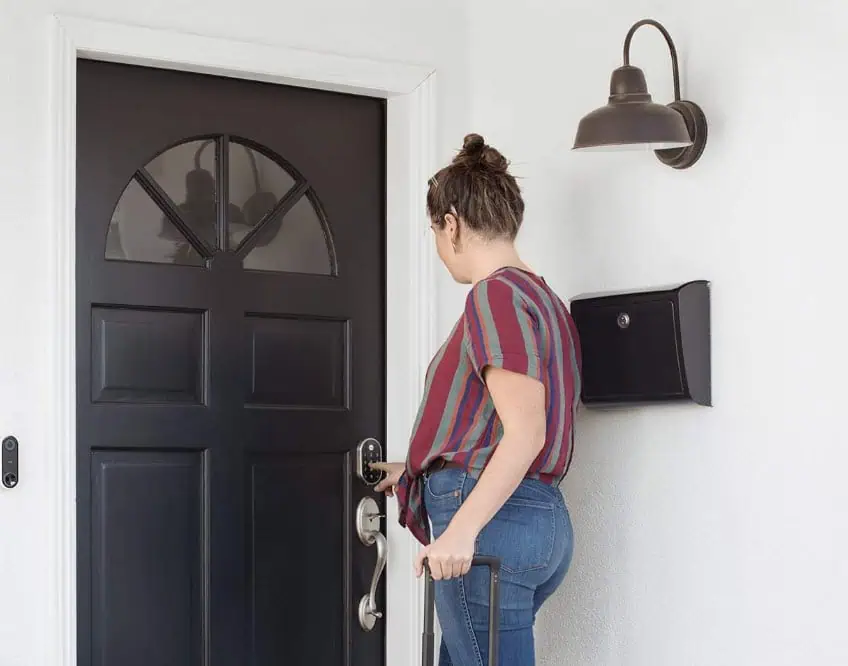
Who is the Google Nest x Yale Lock Smart Lock for?
- Canadians who already use the Nest ecosystem. The Nest system integrates so well with this smart lock.
- Users who need to assign individual, scheduled passcodes. Busy householdsthato need individual passcodes on a schedule will love the way this smart lock works.
- Those who want to keep track of entry history and activity. The app keepa s close track of entry history and activity, so you can see who is coming and going at all times.
Who should avoid the Google Nest x Yale Lock Smart Lock?
- Users who have unreliable internet access. If you have unreliable internet access, this smart lock might not be the right option for you.
Instead, choose… the Schlage Encode Plus WiFi Deadbolt Smart Lock.
The Schlage Encode Plus WiFi Deadbolt Smart Lock offers broader smart home compatibility and a much higher code capacity. It expands app integration to better serve Apple HomeKit, Alexa, and Google Assistant users while supporting up to 100 access codes.
Features Breakdown
- Colour: Satin Nickel
- Smart Features: Keypad, Alarm, Keyless
- Lock Type: Deadbolt
- Dimensions: 1.4 x 6.6 x 2 cm
- Installation Method: Surface
- Included: Google Nest and Yale lock
- Batteries Required: Yes
Best compatible smart lock in Canada: Schlage Encode Plus WiFi Deadbolt Smart Lock
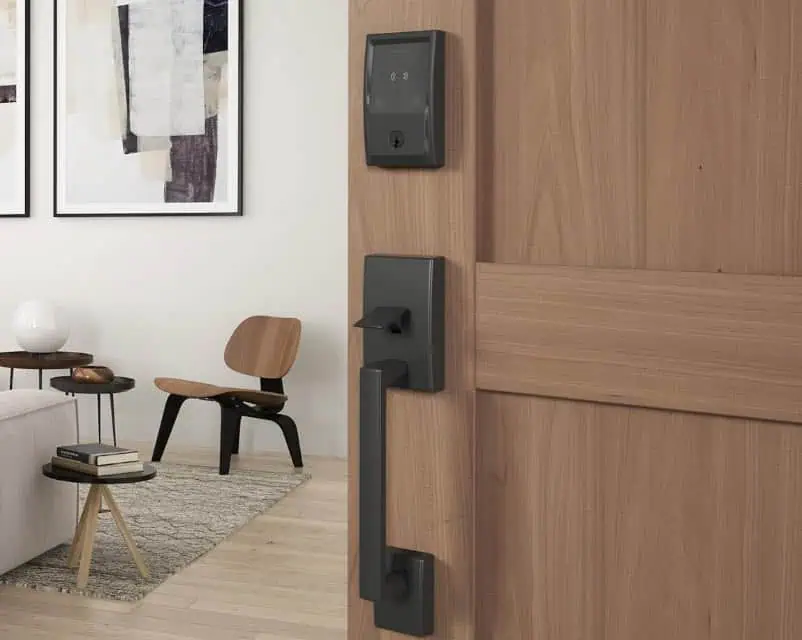
Pros:
- Built-in WiFi connects directly to your network without a hub
- Supports up to 100 access codes
- Works with multiple assistants (Apple, Alexa, Google)
- Lock history with customizable notifications
Cons:
- Advanced features may feel excessive for basic entry needs
The Details:
- Colour: Matte Black
- Smart Features: Fob Unlock, Keypad
- Lock Type: Deadbolt
- Dimensions: 2.29 x 7.62 x 12.7 cm
- Installation Method: Screw-In
The Schlage Encode Plus focuses on broad connectivity and direct WiFi access. Unlike some smart locks that rely on separate hubs, this model connects straight to your home network. That allows remote control and monitoring through the Schlage Home app without additional hardware.
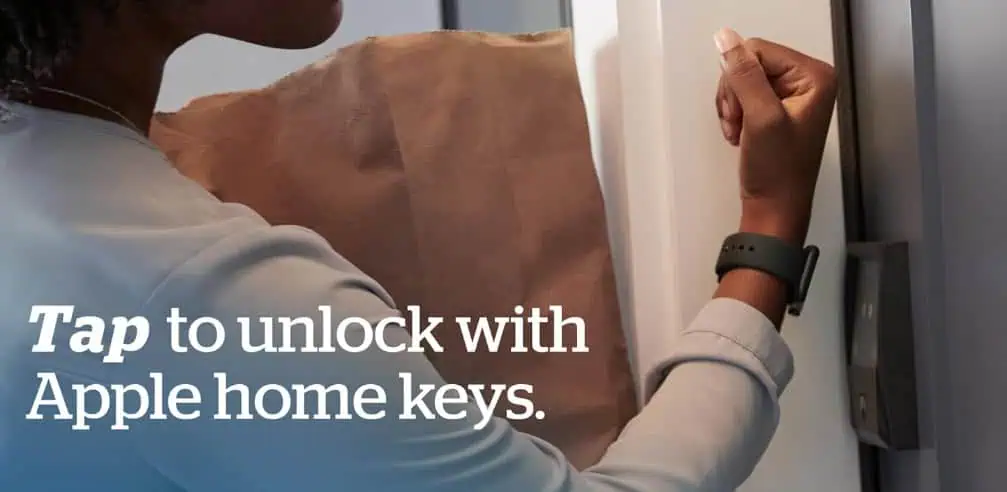
Access management is one of its strongest differentiators in this batch. The lock supports up to 100 individual codes, making it suitable for larger households, rental properties, or situations with frequent visitors. Lock history and customizable notifications provide detailed visibility into who entered and when. For Apple users, compatibility with HomeKit and Apple Home Keys enables tap-to-unlock using an iPhone or Apple Watch, adding a contactless entry option.
The Snap ‘n Stay feature helps hold components in position during mounting, reducing the need for an extra set of hands. Once installed, the lock integrates with Alexa and Google Assistant for voice commands and includes a built-in alarm alongside its AAA security rating.
The breadth of features assumes consistent WiFi coverage and a willingness to manage codes and integrations through an app. Households seeking a minimal keypad experience may find the ecosystem more robust than necessary. For tech-forward users wanting wide smart home compatibility and expanded code capacity, it delivers a comprehensive control platform.
Our Expert Opinion: “As far as Wi-Fi models go, this lock stands out for scale and ecosystem flexibility. The built-in Wi-Fi works well in homes with stable connections, and it’s well-suited for short-term rentals because of detailed usage and credential tracking.”
Customers Are Saying: “This lock can be a bit complicated to figure out, but once you get it installed, it works well. You can set it with Alexa and make it work with your Ring doorbell, too.”
Who is the Schlage Encode Plus WiFi Deadbolt Smart Lock for?
- Canadians who want a smart setup without a hub. This smart lock doesn’t require a hub, so you don’t have to mess with a lot of different features to access it.
- Properties that need a lot of individual access codes. If your property needs to balance a lot of individual codes, this lock is perfect.
- Those who need detailed history and notifications. If you need to know who is coming and going at all times, this smart lock can help you keep track.
Who should avoid the Schlage Encode Plus WiFi Deadbolt Smart Lock?
- Homes with inconsistent Wi-Fi coverage. Wi-Fi coverage is essential to access all of the features of this lock, and you may be locked out without it.
Instead, choose… the Eufy Smart Lock C30.
Eufy’s Smart Lock C30 has a physical backup instead of relying solely on Wi-Fi control. This means that you can keep app control, but the traditional key option allows for manual override and keyed entry. Some Canadians might prefer this.
Features Breakdown
- Colour: Matte Black
- Smart Features: Fob Unlock, Keypad
- Lock Type: Deadbolt
- Dimensions: 2.29 x 7.62 x 12.7 cm
- Installation Method: Screw-In
- Included: Installation Hardware, Lock, and Instructions
- Batteries Required: Yes
Best keyed smart lock in Canada: Eufy Smart Lock C30
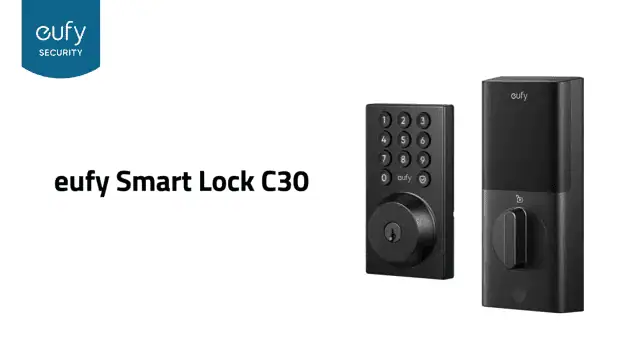
Pros:
- Built-in Wi-Fi connects directly to the eufy Security app
- Adjustable auto-lock timing
- Multiple entry methods, including physical key, voice control, and keypad
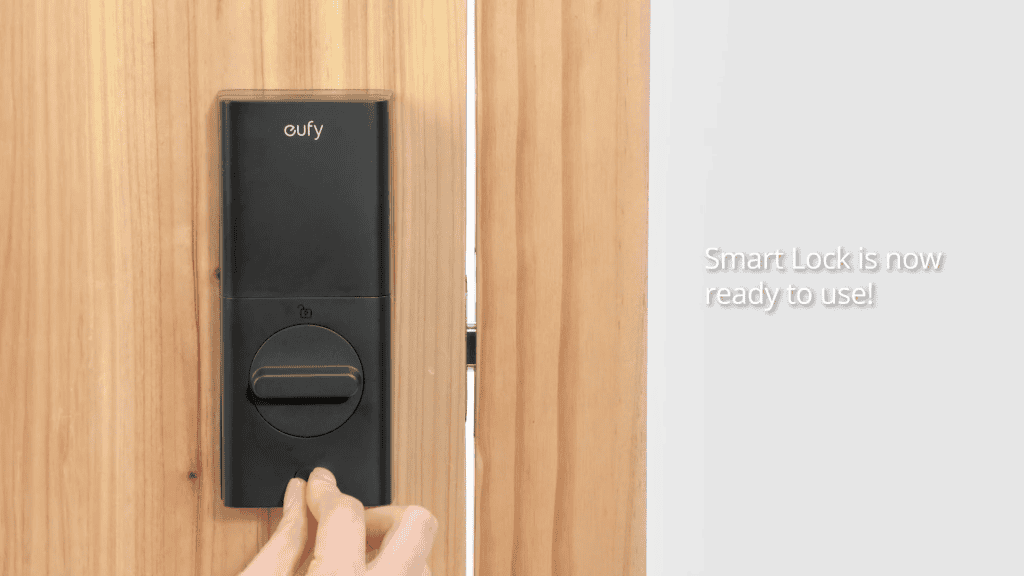
- No-drill installation for quick setup
Cons:
- Plastic housing may feel cheaper than metal-bodied alternatives
The Details:
- Colour: Black
- Smart Features: Auto-Lock, Fingerprint
- Lock Type: Deadbolt
- Dimensions: 6.5 x 4.1 x 15.4 cm
- Installation Method: Surface
The Eufy Smart Lock C30 positions itself around direct WiFi access and flexible entry methods. With built-in connectivity, it links straight to the eufy Security app for remote locking, status checks, and activity tracking without requiring an additional hub.
Entry options extend beyond app control. In addition to keypad input, the lock includes a physical key override and compatibility with voice assistants such as Alexa and Google Assistant. Adjustable auto-lock timing helps ensure the door secures itself after a set interval, reducing reliance on manual locking.
The no-drill approach allows replacement of a standard deadbolt in roughly 15 minutes. Environmental tolerance from -30°C to 70°C, along with IPX3 water resistance, supports use in varied climates. Wrong-try protection temporarily disables the keypad after repeated incorrect entries, adding a layer of access control.
As with other WiFi-enabled models, overall performance depends on network reliability. The plastic body may not convey the same weight or finish as metal alternatives, and full integration is strongest within the eufy ecosystem. For households seeking multiple entry methods and direct app access in a straightforward installation format, it provides broad everyday functionality.
Our Expert Opinion: “The Eufy Smart Lock C30 is appealing for users who want remote access and a physical key fallback. It installs quickly and tolerates a lot of climate changes, and the key adds another layer of security if the Wi-Fi fails.”
Customers Are Saying: “The battery life is a little shorter than I’d like, but otherwise, this lock has done really well in my house.”
Who is the Eufy Smart Lock C30 for?
- Those who need fast,t no-drill installation. This lock is simple to install and doesn’t even require a drill to get the job done.
- Users who prefer app control and physical key backup. Most modern smart locks come with app control, but the physical key backup can save you if the Wi-Fi isn’t working right.”
- Homes that already use eufy products. If you already have a lot of eufy products in your home, this lock will integrate well with your current setup.
Who should avoid the Eufy Smart Lock C30?
- Canadians who want an all-metal lock. If you prefer the look and feel of a sturdier all-metal lock, this might not be the best option for you.
Instead, choose… the Google Nest x Yale Lock Smart Lock.
The Google Nest x Yale Lock Smart Lock has a fully keyless design with an integrated alarm, which might be more your speed if you aren’t interested in a key cylinder. Instead, you get built-in tamper alerts and more structured passcode scheduling.
Features Breakdown
- Colour: Black
- Smart Features: Auto-Lock, Fingerprint
- Lock Type: Deadbolt
- Dimensions: 6.5 x 4.1 x 15.4 cm
- Installation Method: Surface
- Included: Deadbolt and installation hardware
- Batteries Required: Yes
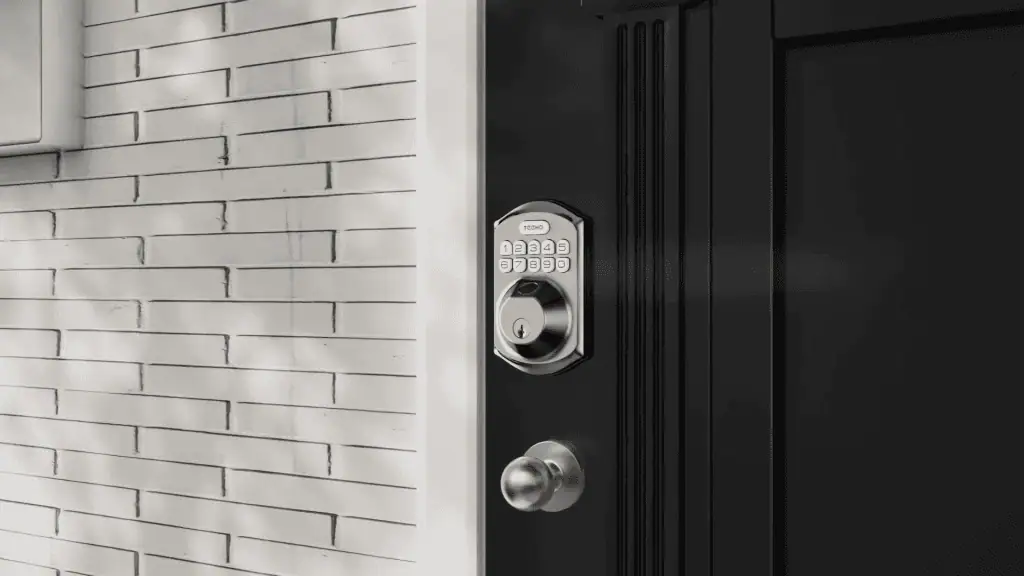
Best fingerprint smart lock in Canada: Teeho TE002 Fingerprint Door Lock
Pros:
- Fingerprint unlock with fast, smooth recognition
- Stores up to 20 fingerprints and keypad codes
- One-time PIN function deletes after a single use
- Low battery indicator (up to 6 months of battery life)
Cons:
- Requires periodic battery replacement
The Details:
- Colour: Satin Nickel
- Smart Features: Keypad, Fingerprint Scanner
- Lock Type: Biometric, Keypad
- Dimensions: 13 x 7.5 x 3.3 cm
- Installation Method: Screw-In
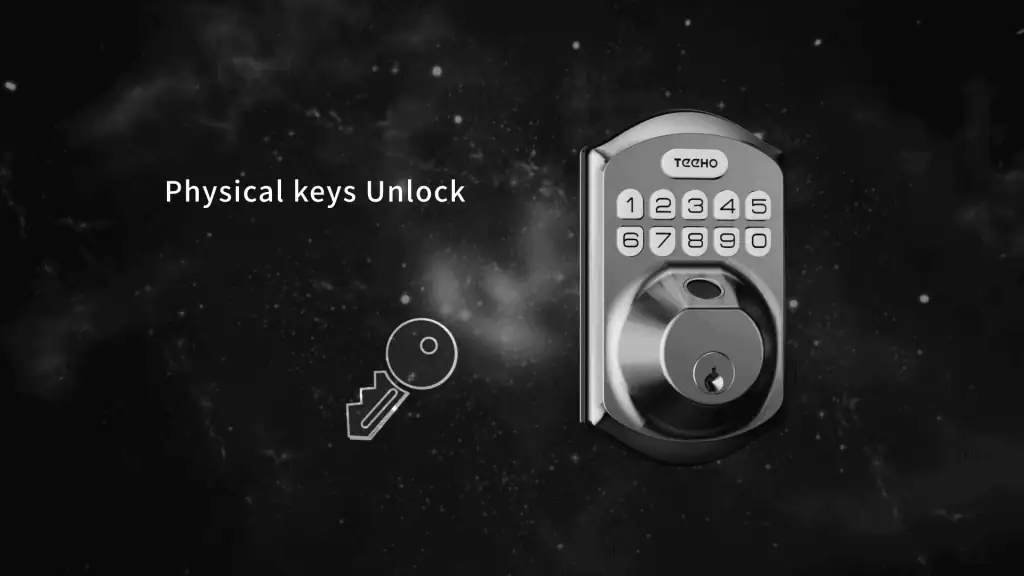
The Teeho TE002 expands on basic keypad entry by adding fingerprint recognition. That combination suits households where speed matters at the door, especially when multiple people come and go throughout the day. Instead of relying on a single entry method, users can choose between fingerprint and code input.
The lock supports up to 20 stored fingerprints and access codes, covering typical family needs. A one-time PIN can be generated for temporary visitors and will be deleted automatically after use. Auto-lock timing ranges from 10 to 99 seconds, and one-touch locking simplifies securing the door on exit.
Installation is DIY-friendly with a screwdriver, and the lock can be configured for either left- or right-handed doors. With IP54 protection and an operating range from -30°C to 70°C, it is built to handle varied weather conditions. A low battery indicator activates when the charge drops below 15%, giving time to replace the four AA batteries.
Door compatibility should be confirmed before purchase, as it is designed for 54 mm bore holes rather than 38 mm. Battery life is listed at up to six months, making periodic replacement part of ownership. Fingerprint access can also be less predictable when hands are wet or gloved. For buyers wanting biometric convenience paired with keypad backup, this model offers a flexible entry setup.
Our Expert Opinion: “The biometric component of this lock is great for those who like a traditional keypad, but need something smoother and more immediate. It also reduces dependence on a single unlocking method.”
Customers Are Saying: “The fingerprint reader works much better than I expected. It turns very smoothly, too. For someone who doesn’t want to bother with remembering codes, having the option is good even if the fingerprint reader is better.”
Who is the Teeho TE002 Fingerprint Door Lock for?
- Users who need redundancy with unlocking methods. There are multiple unlock methods for this lock, so you don’t have to rely on just one.
- Canadians with homes exposed to seasonal weather. This lock is good for most seasonal weather in Canada, so you won’t be locked out if it’s raining or snowing.
- Those who need to store multiple fingerprints. This lock stores up to 20 fingerprints and unlock PINs.
Who should avoid the Teeho TE002 Fingerprint Door Lock?
- People who aren’t willing to maintain battery-powered locks. If you don’t want to keep on top of a battery-powered lock, this might not be the best choice for you.
Instead, choose… the Teeho TE001 Keyless Entry Door Lock.
The TE001 is simple and streamlined, and eliminates the fingerprint recognition to rely only on the keypad and PIN options. There are fewer entry methods this way, with fewer things to program without the use of Wi-Fi or an app.
Features Breakdown
- Colour: Satin Nickel
- Smart Features: Keypad, Fingerprint Scanner
- Lock Type: Biometric, Keypad
- Dimensions: 13 x 7.5 x 3.3 cm
- Installation Method: Screw-In
- Included: Deadbolt, 2 Standard Keys, Latch, Strike Plate, Installation Guide
- Batteries Required: Yes
Frequently Asked Questions
Most smart locks have contingencies or processes you’ll need to follow if they fail. If your smart lock comes with a physical key, you can at least get into your house before dealing with it. Some locks require rebooting, physical battery swaps, or other troubleshooting to begin working again. The user manual should be able to tell you how to revive your lock if it suddenly stops working, at least so you can get into your home.
Most smart door locks can last between 5 and 7 years before they need to be replaced, with some lasting longer if they are maintained well. Different locks may be made for different levels of durability, especially with weather, so make sure that you purchase one that can stand up to your climate.
Most people hesitate about smart locks because they are more vulnerable to hacking than other types of locks. They can also fail if a battery dies or the power goes out. If you are concerned, we’d suggest choosing a smart lock with multiple redundant entry methods.

This Post Has 4 Comments
For Canadian winters, does cold weather affect smart lock battery life or responsiveness? I’m curious if that’s something homeowners need to plan around.
Cold weather can reduce battery life slightly in smart locks, since low temperatures affect most batteries. It usually just means you may need to replace them a bit more often during winter. Most models provide low-battery alerts, so homeowners typically have plenty of notice before it becomes an issue.
I didn’t realize that smart locks vary this much in terms of installation and compatibility.
I’ve been curious about smart locks mainly for convenience, but I wasn’t sure how reliable they are long term.